Physical Address
304 North Cardinal St.
Dorchester Center, MA 02124
Physical Address
304 North Cardinal St.
Dorchester Center, MA 02124

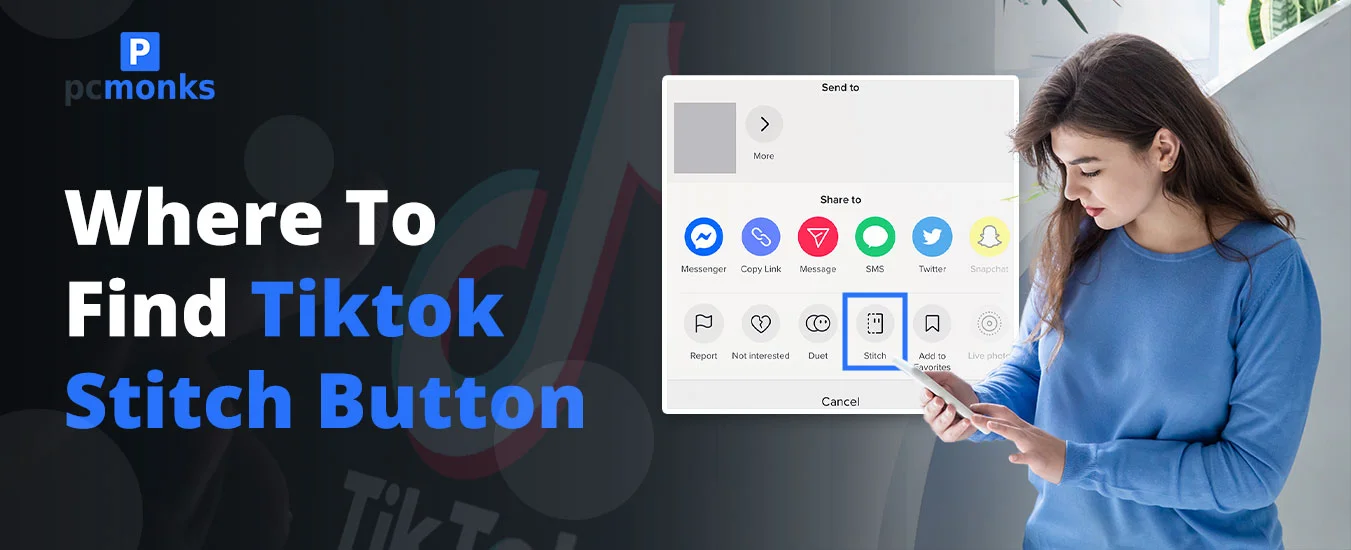
While using TikTok, you must be wondering whether you should Stitch with others. If yes, you’ve reached the perfect place. By doing so, you will be able to increase the engagement level. Be sure that while going with the Stitch button, you have switched your private account into a public one. And the one most important thing is that you need to turn on the Stitch button before proceeding further.
Quick prerequisites: Switch to public account (Profile → Menu → Settings → Privacy → Account privacy). Enable Stitch (Privacy → Stitch → Everyone/Friends).
Read out this blog to know where you can find out this button and how to do that.
TikTok Stitch combines up to 5 seconds of another video with your own recording. If you have set up the settings publicly, other users can become a part of your video just like their own. Just understand one thing that to enable the Stitch button, you must have a public account.
There are some settings that allow you to share Stitch with those to whom you can share your videos.
Important Points to be Considered!
YES! TikTok allows you to stitch videos. By doing so, you can smoothly combine video for up to 5 seconds with other users. In addition, it is primarily used to answer questions, foster collaboration, or provide feedback on the content currently available.
Follow these instructions to know how you can easily do it.
Key Note! Not all types of videos have the option to turn on Stitch.
If you are not able to Stitch, it is because the original creator has turned off the feature within their privacy settings. Some other reasons are highlighted below:
Just go through the comparison below of TikTok features: stitch and duet.
| Feature | Format | Max Clip Length | Best Use Cases | Availability Factors | Notes |
| Stitch | In order. However, the original clip plays first, then your video | Up to 5 seconds of the original video (updated in 2026) |
|
Only accessible if the creator turns on Stitch in settings. In addition, it disappears if the source video is deleted. |
|
| Duet | It works in a split screen. Both videos play simultaneously. | Matches the full length of the original video. |
|
It’s only visible if the creator allows a Duet mode in Settings. Also, it can be removed if the original video is deleted. |
|
We have prepared a list of all additional questions on finding the Stitch button on your TikTok profile.
Ans. You can use the search bar, where you just need to type down the stitch with the @username. By doing so, you will be able to see all responses from the original creator of their video. Otherwise, you can tap on the audio or sound link of the original video. Here, you will get a large number of videos that use audio. In this scenario, it also consists of duets and stitches.
Ans. This stitch feature is one of the native collaborative video formats that combines two videos together in proper order.
Ans. This stitch feature is one of the creative buttons that lets you remove up to 5 seconds of the other users’ video. After that, you can easily collaborate with them on the start of your own. It serves as a response, reaction, or continuation.
Ans. Here are the instructions that you can follow:
Alternatively, you can use the Keyword method. What you need to do is enter #stitch so that you can get trending or popular stitches.
Ans. First of all, it is not possible to directly upload your camera roll to the Stitch collaborative tool. Instead, you need to download the chosen TikTok. After that, just combine it with your camera roll with the help of TikTok’s editor or any third-party editor. Otherwise, you can simply opt for a private post workaround that will trigger the Stitch feature.
Ans. Check out these walkthroughs to do so.
Ans. YES! You can smoothly stitch TikTok videos with your prerecorded videos. But understand one thing that it is not possible to do directly with TikTok’s Stitch feature. For that, you may need to use third-party apps.
Ans. YES! You can easily integrate TikTok drafts, but not with the app’s draft folder. You can do one thing that just saves your draft to your mobile’s internal storage. After that, upload them and then simply use TikTok’s editor to do so.
Last updated: May 2026. TikTok UI may vary by region/device.