Wondering why your visually appealing Instagram stories are lost? It might have happened because you are operating your device on an older version. And the second main reason behind that is that you might be residing in Europe or Japan. It means that in these countries, users won’t be able to access this feature because of its regional or local restrictions.
Some other reasons are also there. For that, you need to read out this deeply researched blog. Stay with us till the end of this guide to clarify all your queries.
TL;DR for Fixing Instagram Stories Interactive Stickers Lost
- Try to reinstall your Instagram app if you encounter the same problem again and again.
- Consider switching accounts so that you can determine whether the problem is specific to the account.
- If there is a global outage, manual troubleshooting steps won’t help you out.
- Visit the Instagram Help Center page to get an idea of how you can easily get rid of this error.
Why Have My Interactive Stickers Disappeared from Instagram Stories?
There are some prime reasons why it has vanished from your Instagram account.
- Older versions of Instagram don’t support the advanced or latest features.
- It can happen because of the latest buggy version. It means the latest Instagram update has released a temporary glitch.
- Instagram is slowly rolling out the advanced features, which may or may not be available on your account.
- There might be some regional restrictions, such as in Europe or Japan. In short, this feature is not accessible in those countries.
- Some stickers are only available for your Reels, not for your Stories.
- You have changed your account from a personal to a professional one.
Quickest Fixes
Let’s dive into the most immediate and effective troubleshooting solution that can help you to fix lost stickers on Instagram.
1. Force Quit and Reopen the Instagram App
On Your Android:
- Access your device’s Settings.
- Go to Apps or Apps and Notifications.
- Look for Instagram and tap on it.
- Tap on Force Stop.
- Thereafter, reopen the app to fix all temporary bugs.
For Your iOS:
- Come to your device’s Home Screen.

- From the bottom side, just swipe up the screen to access the app switcher.

- Swipe and find out the Instagram app.

- Tap on it so that you can reopen it.

2. Update Your Instagram App:
- Open your Google Play Store or App Store.
- Go to your profile picture.
- Tap on Manage and Devices.
- Move towards the Updates Available section.
- Search for Instagram and tap on Update (if required).
3. Log Out and Back In
- Access your Instagram profile.
- Proceed further towards the three horizontal lines.
- Choose Settings and Privacy.
- Scroll down your screen.
- Tap on the Log out option.
Note! If you have a number of accounts, you can tap on Log Out From All Accounts.
- Go with the Save or Not Now option for your login data.
4. Reinstall the App
For Your iOS App:
- After coming to the Home Screen, firmly hold down the Instagram app.
- Select the Remove App option.
- Then, navigate to the Delete App option to confirm.
- Now, move towards the App Store.
- Look for Instagram.
- Tap on the download icon.
- Log in to the app and start using it.
On Your Android Device:
- Long-press the Instagram app.
- You will get an option to uninstall.
- Tap on it.
- Open the Google Play Store app.
- Search for the Instagram app.
- Access it and enter your login credentials to use it.
5. Use the Search Function:
You can also do one thing that simply searches for the specific interactive stickers. And then see whether it comes on the screen or not.
How to Fix Instagram Stories Interactive Stickers Lost on Android and iPhone?
Here, we will solve out this error by providing you with a solution, specifically for Android and iPhone.
For Android:
Check/Enable Data Saver:
- Open Instagram.
- Visit your Profile.
- Access the Menu bar.
- Choose Settings and Privacy.
- Scroll down a bit to find Your app and media section.
- Go with the Data usage and media quality option.
- Make sure to enable the Data Saver Mode.
For iPhone stickers not working on Instagram:
Offload App:
- Access Settings on your iPhone.
- Move towards the General option.
- Tap on iPhone storage.
- Choose the Instagram app you are willing to offload.
- Tap on Offload App.
Important Points to Be Considered!
- When you offload the Instagram application, it will just free up the space. However, it will keep your login information saved along with the settings data.
- If you want the app again, simply install it from the particular platform, like the Google Play Store or App Store.
How to Use the “Reels Draft” Workaround to Fix Missing Story Stickers?
This is one of the most common and effective workarounds that will help you to find your missing stickers.
- On your Instagram app, see the + icon at the bottom of your screen.


- Add media or record a video.

- Tap on Next. Here, you will reach the sharing screen.

- Save the video by tapping on the Download button.

- Now, start creating a story.

- Pick the reel that you have just saved to your camera roll.

- Choose the stickers you are willing to add.

How to Fix Missing Stickers by Clearing the Instagram Cache?
What you need to do is:
- Access your device’s Settings application.
- Look for Apps or Application Manager.
- Find out and tap on Instagram.
- Again, go with the Storage option.
- Navigate to the Clear Cache option.
- After that, you can easily restart your Instagram app.
Why Are Only Certain Stickers Missing?
If you find certain Instagram stickers are missing, we have listed some reasons why this actually happens.
- There are some music features or interactive stickers that might not be accessible in some countries because of regional restrictions or local regulations.
- New features are currently in the rollout phase. That is why your Instagram account hasn’t received the latest update yet.
- Instagram keeps a very small amount of cache for your customized stickers. However, it only lets you show some interactive stickers till your phone’s speed is fast. Moreover, after creating a new sticker, the app just prioritizes them, and the older ones are kept in the background storage. So, when you delete them from the display tray, there is a high chance that your older ones can easily come back.
Do I Need to Switch Accounts to Get the New Stickers Back?
NO! However, it is not generally and necessarily required to gain the advanced and creative Instagram stickers. Although you can use this as a troubleshooting approach that will help you to force or refresh your Instagram app. Besides this, just understand one thing that this method acts as a secondary option. The primary ones are using the latest Instagram version, checking whether there are some regional restrictions, or fixing temporary glitches.
How Does Instagram’s “Phased Rollout” Cause Some Users to Lose Features?
It is impacting users because Instagram is used to test new features and functionalities on randomly sized, small groups before analyzing whether they should release the function globally or remove it completely. In simple terms, such processes are on a temporary basis. Apart from that, users usually get experience with such features for some days before they actually disappear. In addition, it totally relies on high demand for systems, or there might be some low adoption rates.
How to Report the Missing Sticker Issue to Instagram?
Follow the highlighted instructions so that you can report the error to Instagram.
- Log in to your Instagram account by including the necessary credentials.
- Navigate to your Profile.
- Access the Menu bar.
- Opt for Settings and Activity.
- Scroll down and look for Help. Tap on it.
- Go with the “Report a Problem” option.
- Follow all the walkthroughs that your screen is showing you.
- Consider shaking the screen so that you can capture the screenshot of the certain missing stickers.
Otherwise, you can opt for a Report problem without a shaking option. Here, you need to explain your query manually.
What Else Can I Do If Stickers Are Still Missing?
This section will provide you with two other troubleshooting solutions that will help you to fix the error smoothly.
Method 1: Check or Disable VPN
If you have enabled VPN, you need to make sure that it is fully turned off. However, by doing so, Instagram doesn’t allow you to access advanced features, as it won’t be able to analyze your accurate location.
Method 2: Consider Using the Music Sharing Way
Just go through the steps below:
- Access Spotify on your device.
- Start playing the song or a music album you are willing to share on Instagram.
- Head to the Now Playing screen.
- Look for the Share icon and tap on it.
- Choose Instagram Stories.
- Wait for a while till it properly integrates into your Instagram story.
- Tap on the sticker tray.
- Try to add a new element.
Check whether the music sticker is visible. If yes, it means this method has successfully resolved the error.
General Questions And Their Answers
You might be wondering why your Android and iPhone stickers are not working on Instagram. We’ve thoroughly researched queries that are mostly asked by users. Read all to know.
Q1. What are Instagram story stickers?
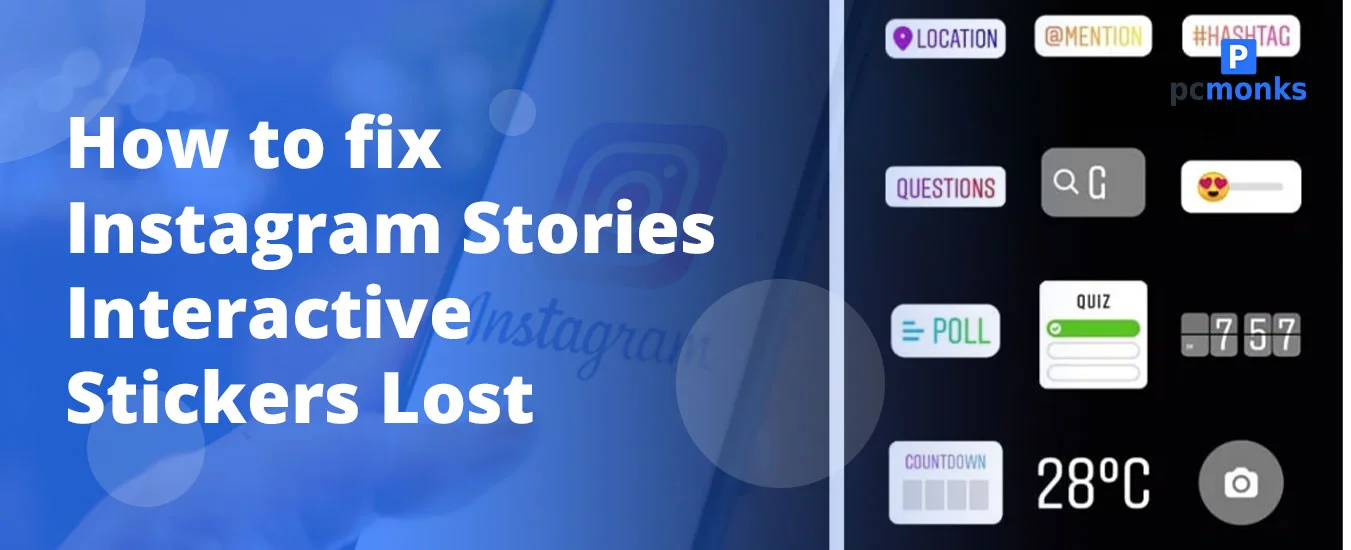
These are creative, interactive elements that can be questions, polls, music, and GIFs. Moreover, they’re added to your stories so that they can increase engagement and look more visually appealing.
Q2. Why have some of my Instagram stickers disappeared?
Ans. There are some reasons why these interactive stickers vanished.
- App glitches or cache issues.
- Using an outdated app.
- You might have switched to a professional or a creator account.
- You might be residing in Japan or Europe, where these stickers are not available.
Q3. How to fix interactive stickers that can’t be covered on Instagram?
Ans. Go through these troubleshooting steps that will help you to get rid of:
- Consider using the new layer system.
- Capture a screenshot of the image you are willing to cover the sticker with. After that, just copy it to your clipboard. Then, paste it into your story.
- Try to reinstall or update your Instagram.
- Save your story as a draft. Don’t save it and then try again.
Q4. Why does Instagram remove stickers?
Ans. Instagram has removed stickers because they want to simplify the user experience, boost engagement levels, and update feature sets.
Q5. How to find interactive stickers on Instagram?
Ans. Follow these steps:
- Tap on the + symbol.
- Start creating a New Story.
- Look for the Square Smiley face icon. Tap on it.
- Here, you can find various interactive features. Choose any of them:
- Add Yours
- Questions
- Poll or Emoji Sidebar.
- Reveal
- Cutouts
Q6. Where did my stickers go on my iPhone?
Ans. On your iPhone, Instagram stickers have disappeared because sometimes there might be some internet connectivity errors or app glitches.
Q7. How do I enable stickers in Instagram?
Ans. First, make sure that you are utilizing the latest version of Instagram. And be sure that you don’t reside in Japan or Europe, as this feature is restricted because of regional policies. Or, if you don’t find the option to enable, restart the app.
Q8. How do you manage stickers on Instagram?
Ans. These instructions will help you to manage your stickers on your Instagram account.
- First, access the Stickers tray.
- Then, resize and move it.
- Next, you just need to remove or layer it.
Related Reads






[…] After trying these steps, you can check your Instagram search results. You will probably get your search back. Clearing local data and re-authenticating is also the standard fix when troubleshooting missing Instagram features and stickers. […]
[…] If other story features are acting up too, like missing stickers, check this fix for Instagram story stickers missing. […]