Physical Address
304 North Cardinal St.
Dorchester Center, MA 02124
Physical Address
304 North Cardinal St.
Dorchester Center, MA 02124

Spotlight on Instagram means giving one of your Stories priority placement in your friends’ Stories tray. Instead of waiting in the normal Story order, your selected Story appears closer to the front. That makes it easier for people who already see your Stories to notice it.
It is a paid Instagram Plus feature, and you can use it once a week. Instagram describes Story Spotlight as a way to “give your story priority for your friends.”
There is one catch. Spotlight does not guarantee more views. It improves placement, not content quality. It also does not push your Story to Explore or show it to people who do not already see your Stories.
Below, you will find how Spotlight works, who can use it, where your Story appears, and how it differs from Highlights. Everything here is current as of October 2026.
Spotlight is a Story-visibility feature. You pick one Story, and Instagram moves it up in your friends’ Stories tray. Normally, the order of that tray depends on Instagram’s own ranking. Spotlight lets you nudge one Story forward.
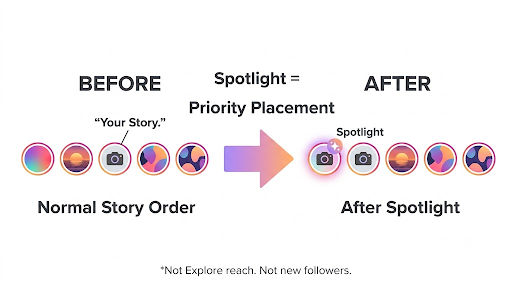
Instagram announced it in its official Instagram Plus announcement. There, Spotlight sits under the “get closer to who matters” group of features. Notice the wording. It is about priority, not promotion.
Think of it like a “read this first” sticker on one message in a busy inbox. The message still has to be worth opening.
You post a Story as usual, then apply Spotlight to it. Instagram then gives that Story priority in the tray. You get one use per week, and the limit resets after seven days.
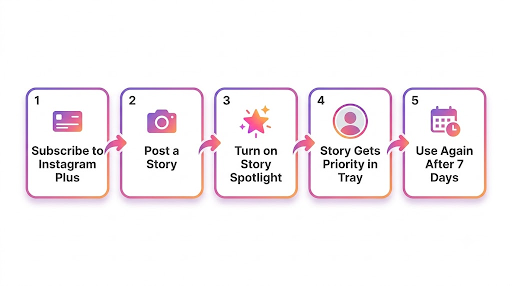
The weekly limit changes how you should use it. You can’t spotlight every Story, so you have to pick. Most people save it for something time-sensitive, like a sale, a launch, an event date, or news you want friends to see today.
Social Media Today covered the feature in its breakdown of the Instagram Plus package. It confirms the once-a-week rule.
A spotlighted Story appears near the front of the Stories tray, which is the row of circles at the top of the Instagram home screen. Instagram’s own wording says “priority for your friends,” while most news outlets say “followers.” The two are not always the same group, so the safest way to say it is this: your Story gets priority with the people who see your Stories.
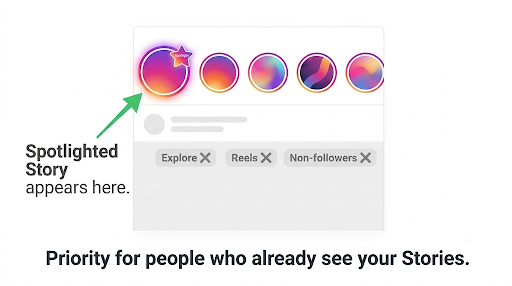
Two limits are worth knowing:
There is one more catch. If many accounts you follow also use Spotlight, they can’t all be first. Social Media Today and Social Media Examiner both flag this problem. The more people use it, the less special the front spot gets.
Instagram Spotlight is a paid feature. It is part of the Instagram Plus subscription, which costs $3.99 per month in the US. The regular Instagram app remains free, and Instagram has said its core experience will stay free.
Follow these steps to subscribe to Instagram Plus from the official Instagram app:
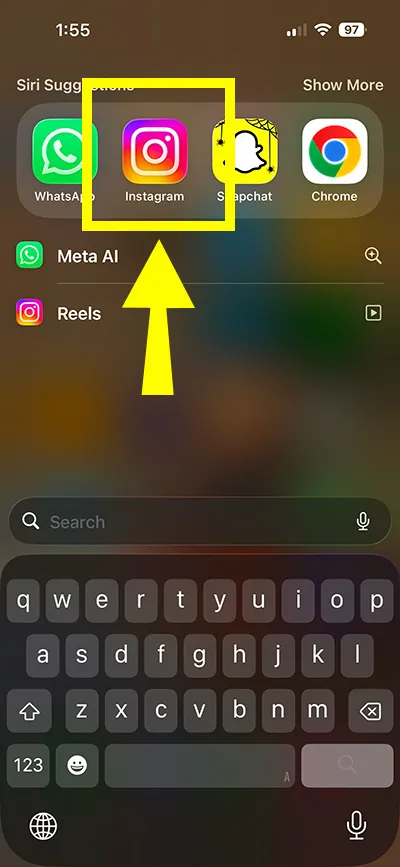
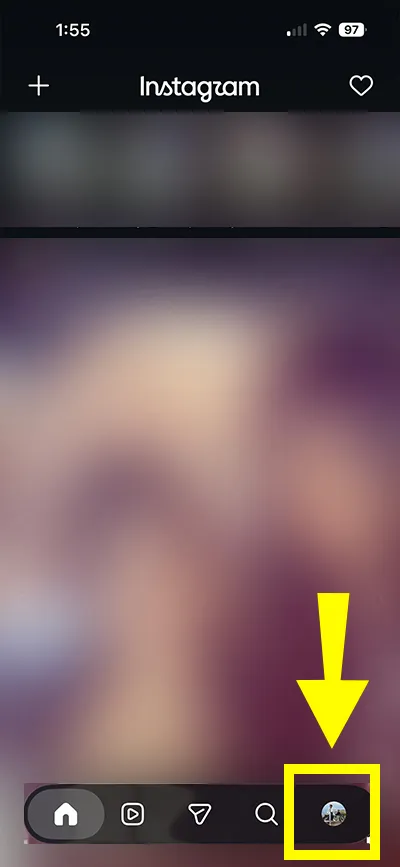
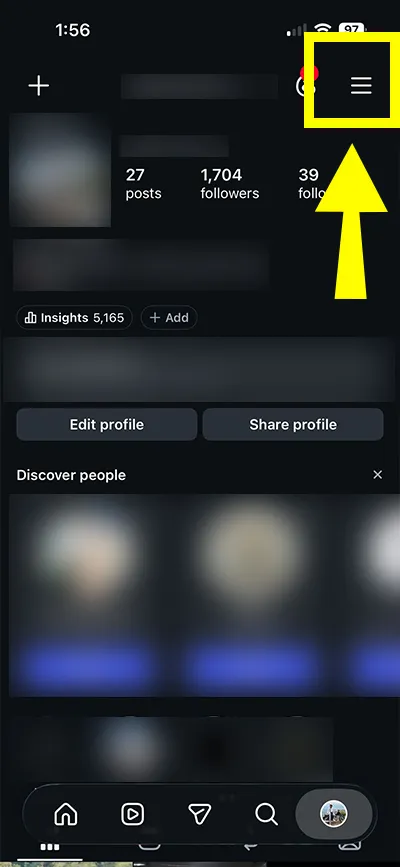
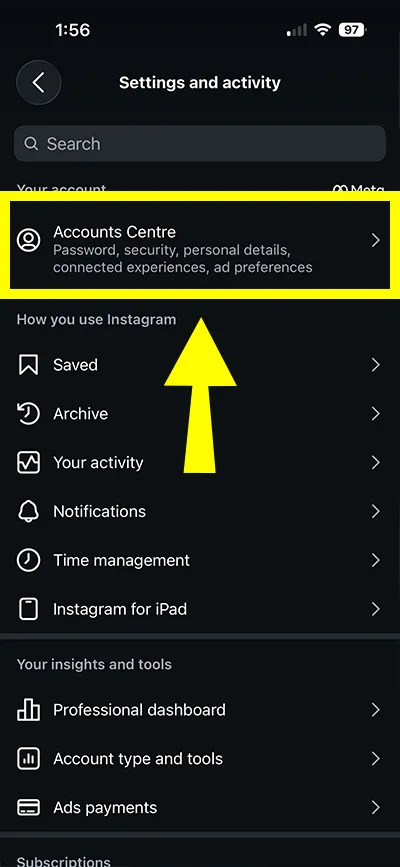
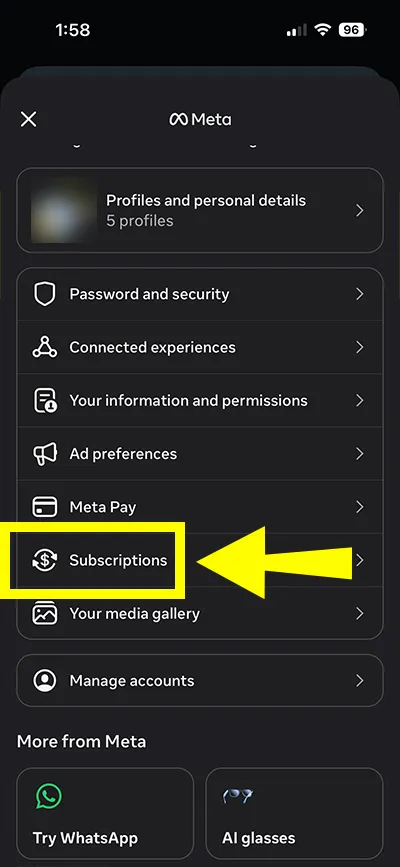
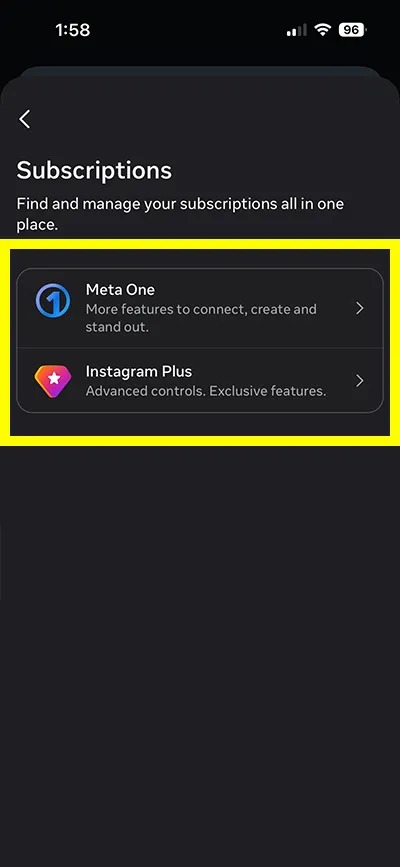
Choose either option; both open the same Instagram Plus page.
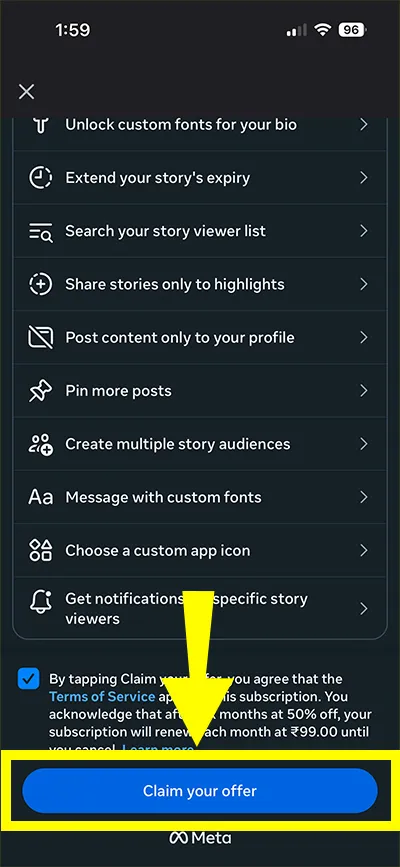
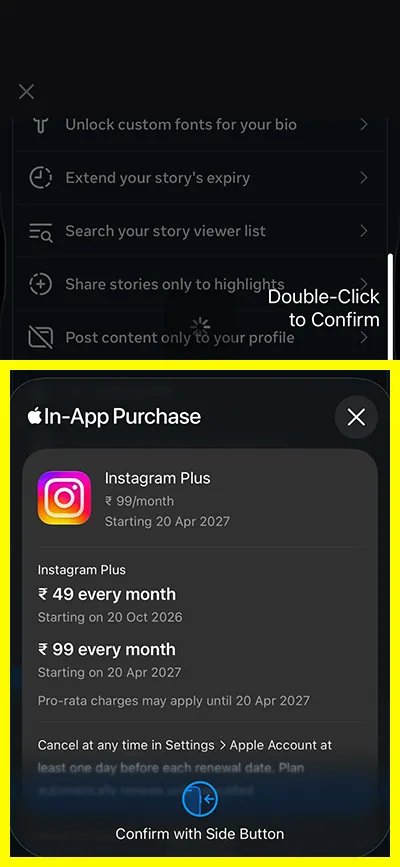
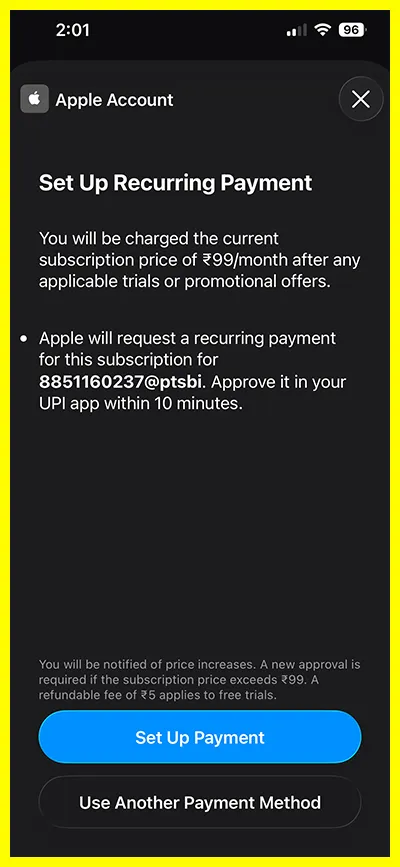
Here are a few important things to know about Instagram Plus pricing, availability, and billing:
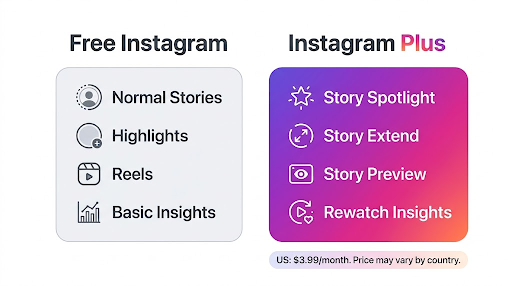
Metricool has a clear guide to Instagram Plus pricing, features, and cancellation. It also explains that Instagram Plus is one of several Meta One plans. The Core bundle costs $7.99 per month and includes Instagram Plus features.
Be careful with “Instagram Plus APK” downloads. Those are unofficial apps. They are not Meta’s subscription, and they can put your account at risk. Only subscribe inside the official Instagram app.
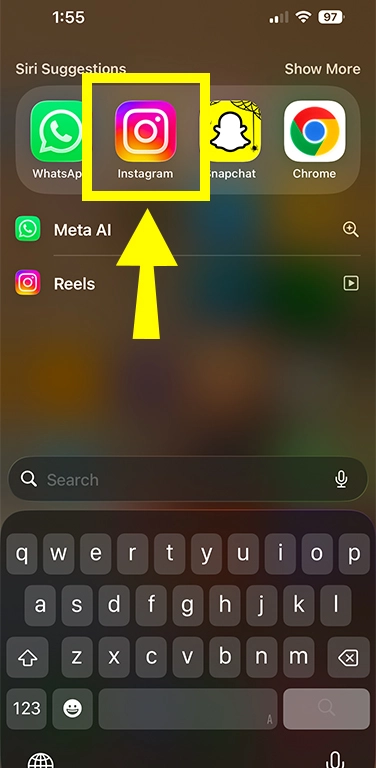
Before using the Spotlight feature on Instagram Stories, make sure you have an active Instagram Plus subscription. Follow these steps exactly as I did on my device.
Note: If you cannot find the Spotlight feature in your Instagram Story area after subscribing to Instagram Plus, you may be using an outdated Instagram version. Update the Instagram app, as new features often require the latest version.
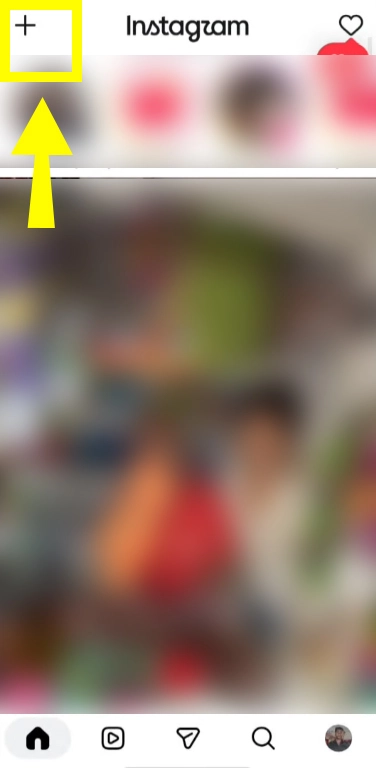
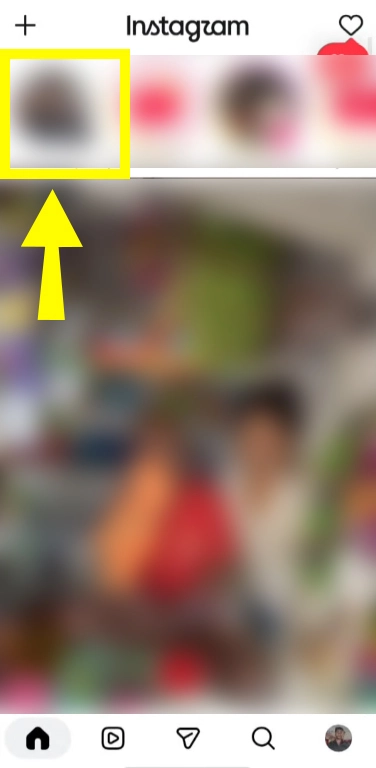
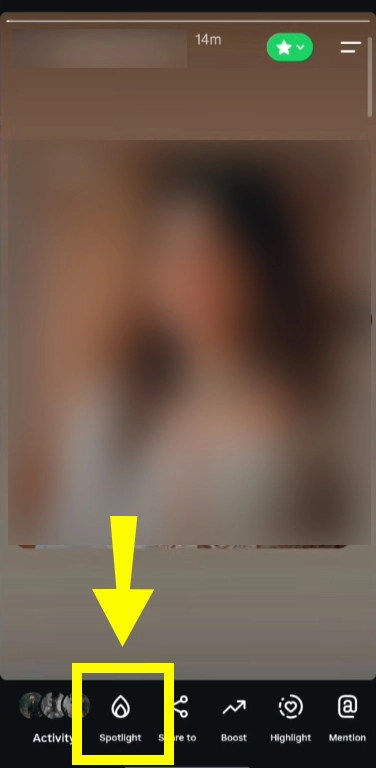
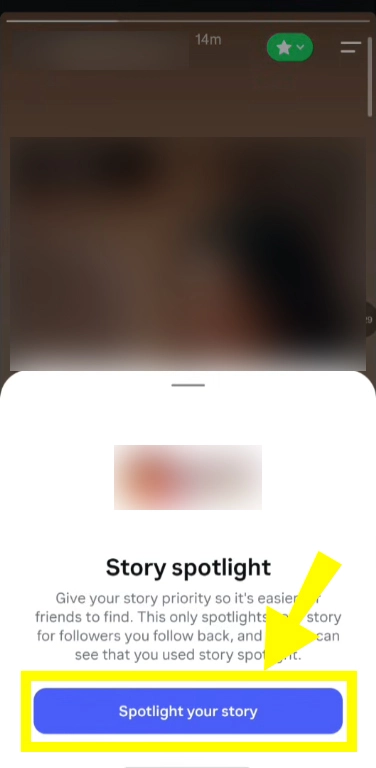
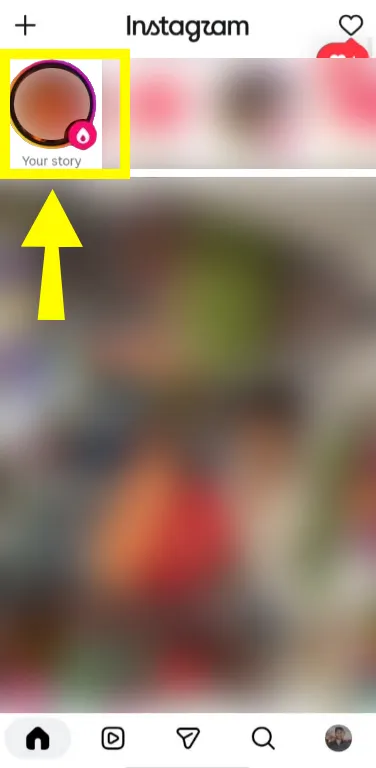
Important: You can use Spotlight only once per week. After you spotlight a Story, Instagram won’t let you spotlight another Story until the weekly limit resets.
If you tap Spotlight again on another Story before the limit resets, Instagram will show a message such as “You’ve already spotlighted a Story this week.” This means you have already used your weekly Spotlight.
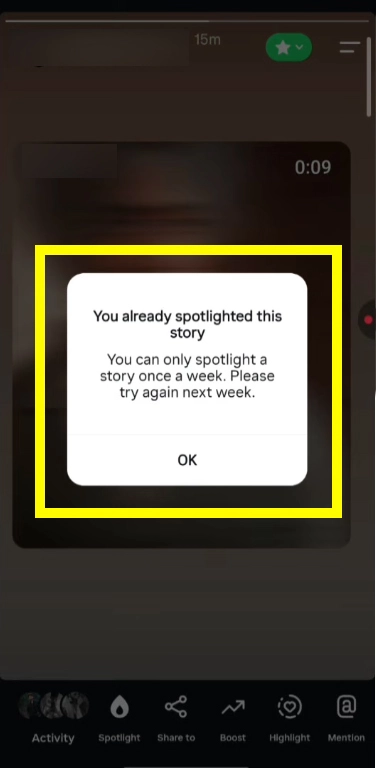
So choose your Story carefully. Use Spotlight for the Story you most want people to notice, such as a sale, launch, event, or important update.
Tips That Make Your Weekly Spotlight Count
They are not the same thing. Spotlight changes where a Story appears for a short time. Highlights save Stories on your profile so they stay after the 24-hour mark.
| Feature | Story Spotlight | Highlights |
| Main job | Moves a Story up in the Stories tray | Saves Stories on your profile |
| How long it lasts | Short term, while the Story is live | Until you remove it |
| Cost | Needs Instagram Plus | Free |
| Limit | Once a week | No weekly limit |
| Best for | Getting a new Story seen quickly | Keeping useful Stories for new visitors |
You can use both. A good example is a store that spotlights a Friday sale Story, then saves the details in a “Sales” Highlight afterward.
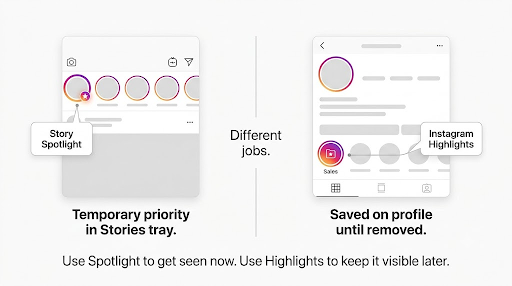
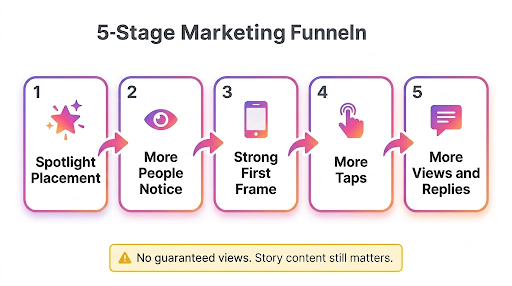
It can help, but it does not guarantee more views. Better placement may make your Story easier to notice. That is why Social Media Examiner calls it a “soft” reach boost. But Instagram does not promise a view count, and a weak Story can still lose people after the first few frames.
Spotlight also only reaches people who already see your Stories. If your goal is to grow your audience, it is the wrong tool on its own. For that, start with this guide on how to increase Instagram reach, then use Spotlight to make the most of the audience you already have.
Most articles repeat the feature list and stop. Here are the points that are easy to miss.
No. The word “Spotlight” shows up in a few places, which is why search results get messy.
If a page says Spotlight pushes public videos to strangers, that is describing Reels or Explore-style discovery, not Story Spotlight. Check the date and source before you trust it.
It is worth it if you post Stories often and have a loyal group of followers. It is probably not worth it if you mostly scroll or want fast follower growth.
It makes sense for:
It makes less sense for:
A good test: if you can name one Story per week that you really want people to see, Spotlight has a job. If you can’t, skip it for now.
I could not find any source that says followers get a special alert. Instagram describes Spotlight as a placement change in the tray. People who see your Stories may notice it sooner because it receives priority placement.
Instagram has not published a clear answer. Stories last 24 hours, or up to 48 hours with Story Extend, so the safest plan is to apply Spotlight while the Story is still live.
Instagram has not shared a documented way to undo it, and the weekly limit still applies. Choose your Story carefully before you apply it.
Check these first:
Yes. It is one of the features in the Instagram Plus subscription, and it is also included in higher Meta One bundles that contain Instagram Plus.
Plus is built for personal use, and business tools sit in Meta’s creator and business plans. Check your own account to see whether the option shows up, since availability can vary.
Look at the Story itself. Check the first frame, the length, and whether it gives people a reason to tap. Placement gets people to your Story. Content keeps them there.