Ever wondered why creators and public figures just give their latest updates to our inboxes directly? It is all because of Instagram’s feature, broadcast channel. This is a channel where followers can only read and respond through an emoji.
So, just read our all-in-one guide, where we have covered all the main concepts that you are looking for.
What is a Broadcast Channel on Instagram?
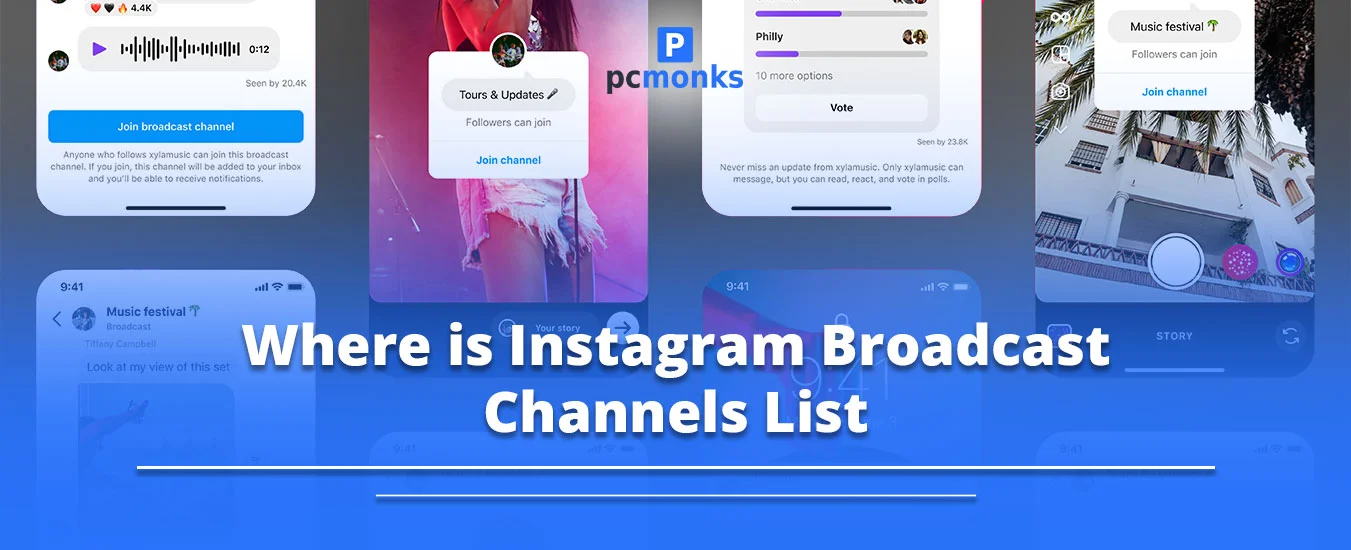
An Instagram broadcast channel is a one-to-many, public messaging tool that lets public figures and creators send direct texts, updates, links, voice notes, photos, and much more to their followers’ direct messages. It serves as a one-way communication channel. In other words, other followers can’t message in a channel till the admin grants permission. However, followers are permitted to drop an emoji as their reaction or vote in a poll.
Meta’s Official Announcement
On June 15, 2023, they released this broadcast channel feature. A million followers get a direct way to connect with their followers. They also add additional features, such as:
- Using question prompts to collect responses and feedback from the followers.
- Offer a dedicated channels tab to make it easier to access.
- Collaborators can easily invite other users.
- Setting an expiration date and time.
- Adding a moderator.
- Sharing a link.
Why Should You Create a Broadcast Channel?
Here is why you and every creator must set up a channel on your Instagram account.
- Bypass the Instagram Algorithm and Increase Your Reach: The messages automatically land in your followers’ inboxes. In short, there is a higher probability that your target audience will engage with your uploaded content.
- Build Deeper Loyalty and Community: These channels support your most active and loyal audience by providing them with behind-the-scenes, exclusive, and intimate content. With this, you will be able to build a strong connection with your audience.
- Drive Engagement with Interactive Content: You can get engaged with your audience by using numerous formats, such as polls, voice notes, reactions & replies, and videos & photos.
- Create Exclusivity for Monetization: If you want to earn money, creating a subscriber-only broadcast channel will be helpful. You just need to offer premium content or early access to your products or services.
How to Create a Broadcast Channel on Instagram?
Follow these steps so that you can start or create your channel.
- Open your Instagram inbox.
- Tap on Compose, which is located on the right side.
- Choose Create Channel.
- Here, you need to:
- Enter channel name.
- Determine your target audience.
- Select when your channel ends.
- Pick a show for your broadcast channel in your bio.
Invite Others to Join Your Channel
There are a few proven ways through which you can easily invite other users to join your channel.
- You can share an invite link with others. Understand one thing: you won’t be able to disable it. You can only reset it so that it can generate a new link at any time.
- Try to add your channel to your stories. But make sure you are an admin or a creator of your channel. Otherwise, you can’t share.
- You can take out any particular post from your broadcast channel. After that, turn it into any picture. Then, upload it in the form of a story. Anyone who views your story will be able to click that image, and there’s a high chance that they will join your broadcast channel.
- Creators can also share a QR code. They just need to open their channel and tap on the name. Next, tap on the QR code and show the audience the code.
How Do I Find and Join the Best Instagram Broadcast Channels in My Niche?
Here are the best ways to find the premium and best broadcast channels on Instagram.
- Check your preferred creator’s bio.
- Follow your desired niche leaders.
- Look for similar creators.
- Look for invitations; you usually get a one-time notification for joining a channel.
To join the best channels as per your niche, go through these steps.
- Tap on your targeted creator’s story or bio.
- Here, you will get the link.
- Then, tap on Join Channel.
Otherwise, you can move towards your DM inbox. Afterwards, look for the creator or the specific channel name. Access it and tap on Join.
Where is the Instagram Broadcast Channel List?
Instagram Broadcast Channel lists may be of two types:
You can easily access them through your notifications or when the creator has shared with you an invitation link.
So, when a creator invites you to join their channel, you just need to tap on the notification. It will help you to view the hidden directory. The above two tabs will be shown under this section, which provides you with highly recommended broadcast channel lists that you are not currently following.
Alternatively, you can check your direct message or inbox. You just need to click on Channels. After that, this tab serves as a filtered folder list that shows you broadcasts that you have joined or are a part of.
Why Is the Instagram Broadcast Channel Not Available to Everyone Yet?
Take a look at these common reasons why you are not able to access the broadcast channel on Instagram.
- Gradual Rollout and Testing: Meta employs a multi-stage deployment approach. It means that a new software code is usually tested on real production servers before it is actually released to its users. Thus, there is a possibility of that.
- Targeted Use Cases: This Instagram Broadcast Channel feature is designed for creators or brands rather than personal or private account holders.
- You Are Not Fulfiling the Eligibility Requirements: Check out these criteria.
- Must have a Business or a Creator profile.
- Your followers must be in a range from 1000 to 10000.
- There might be some regional restrictions. That is why your region is getting the latest updated features very late.
Broadcast Channel VS Standard DMs
Take a look at the following difference between the broadcast channel and the standard DMs. By reading it, you will have a better understanding of the concept.
| Feature |
Broadcast Channels |
Direct Messages (DMs) |
| Purpose |
A one-to-many communication tool for creators to share announcements, updates, and exclusive content. |
One-to-one or small group conversations for personal, interactive communication. |
| Reach |
Messages reach a large number of subscribers within 24 hours. In addition, they bypass Instagram’s feed algorithm. |
It is limited to individuals or small groups. In fact, its reach totally depends on manual effort. |
| Engagement Type |
It’s primarily one-way communication from the creator to the audience. Moreover, the target audience or followers consume content passively. |
Two-way interaction allows direct replies, conversations, and relationship building. |
| Content Formats |
- Text,
- Photos,
- Videos,
- Voice notes,
- Polls,
- Links.
They function like a newsletter inside DMs. |
- Text,
- Media,
- Voice notes,
- Reactions,
- Stickers.
These are highly conversational. |
| Audience |
Subscribers sign up and express high intent and loyalty; they are often engaged followers. |
Any follower or user who is your more casual and varied audience. |
| Exclusivity |
Creates a privileged experience. Your target audience feels part of an inner circle. |
Personalized but not exclusive. However, it totally depends on the creator’s effort. |
| Conversion Potential |
Strong for awareness and anticipation, such as promotional codes and announcements, but weaker for immediate conversions. |
3–5x higher conversion rates to paid actions compared to broadcast-only strategies. |
| Efficiency |
Highly efficient, as one message reaches thousands instantly. |
Less efficient, as it requires individual or small group messaging. |
| Best Use Case |
- Announcements,
- Behind-the-scenes updates,
- Event reminders,
- Brand deals
|
- Building personal connections,
- Nurturing superfans,
- Customer support
|
Key Insights!
- In the broadcast channels, you will get the latest update and bypass the Instagram algorithm. Plus, messages are delivered directly to subscribers’ inboxes. In fact, it is perfect for exclusive drops, presales, and announcements.
- On the other hand, Direct Messages foster personalized and intimate engagement. Moreover, they are highly effective for converting your passive subscribers into active ones.
- Plus, creators can often integrate both DMs for relationship depth and broadcast channels for exclusivity and reach.
How Can Users Find a Creator’s Instagram Broadcast Channel?
These are the instructions that will help you out.
- A broadcast channel link is usually added directly within the creator’s bio.
- Most creators add their channel link to their stories.
- You will be notified when a creator starts creating a channel through a direct message.
- Creators can also share the QR code or an invite link.
What Should I Post in My Broadcast Channel That I Don’t Post on My Main Feed or Stories?
These are some types of content that you should go for.
- Share voice notes for getting better reach and for adding a more personal touch
- Send raw, unfiltered photos and quick videos of day-to-day activities, candid moments, and rough drafts.
- Offers early access to pre-releases or exclusive content to your audience.
- Add interactive polls and enhance their decision-making skills;
- Post casual or random thoughts that should not look like they are part of your daily routine.
- Directly interact with your audience and give immediate alerts about where you are going to live or create post reminders.
Pro Tip! Make sure to keep your tone very professional and simple to grab the attention of users.
How to Use Channels to Bypass Low Feed Reach and Target 100% of Your Most Loyal Followers?
Broadcast channels on Instagram send updates or alerts directly to followers in DM inboxes. Besides this, it provides you with a mini-newsletter experience because it automatically triggers direct alerts. Plus, it makes sure that your uploaded content reaches a wide audience without compromising the quality of the content in the main feed.
These are some effective strategies that you must follow:
- Unlike feed posts, you will be notified within your DM inbox. With this, your loyal and engaged followers can see your uploaded content instantly.
- You should use your broadcast channel for that content, such as early-access links, behind-the-scenes voice notes, or personal updates, that can’t be accessible on any other platform.
- You can also opt for advanced interactive features, such as question prompts or polls, so that you can easily get feedback in large quantities. However, remember one point: your followers won’t be able to reply unless you have enabled the option. The target audience can only respond with an emoji.
- If you want to grow your channel, it is highly recommended to use the Join Channel sticker within your stories. Otherwise, you can pin your channel link in your Instagram bio.
How Do I Move My “Passive” Followers Into an “Active” Broadcast Community?
Here is the following strategy that you can follow as per the 2026 engagement trends.
- Consider Creating VIP Content: Don’t just create your channel. Instead, post stories regarding that. By doing this, your followers will let you know that only subscribers will receive unreleased project teasers, behind-the-scenes glimpses on a daily basis, or early access to their products or services.
- Send Direct Invitation: After sending your first message, all of your target audience and followers will get an alert to join the channel. By doing this, you have a high chance that multiple signups will be completed.
- Consider Using the Invite Link: You can also post the channel link in your bio. Alternatively, you can upload it to your stories by including “Join the Channel” stickers.
Important Point to Be Considered!
You need to provide different content. If your followers are already getting the same content within their feed, they won’t join your channel.
- Try to go with the following:
-
-
- Behind-the-Scenes content
- Early access to your projects or sneak peeks.
- Unfiltered opinions.
- Try to Follow Active Engagement Tactics: You can use the voting option so that your target audience can feel that their opinions matter. Besides this, voice notes and exclusive Q&A features are the best options to convert your audience into active ones. What you need to do is use the voice notes feature to add a personal touch. Or, you can offer Ask Me Anything Q&A stickers on your stories.
- Recognize Active Members: Understand your loyal audience and give them a timely shout-out in your stories. As a result, there is a high chance that other followers will also be attracted.
Why Are My Broadcast Channel Views Dropping, And How Do I Fix It?
It is because of the evolving Instagram algorithm that currently prioritizes send-worthy, high-retention content rather than passive engagement. There are some prime reasons why your Instagram broadcast channel views are dropping.
- Low Engagement and Passive Consumption: If your target audience sees your messages but doesn’t respond, react, or poll, it means that your content is not engaging enough.
- Weak Hooks and Content Failure: Broadcast messages are similar to reels. In short, it requires a strong hook and openings. If your starting is not engaging, people will ignore or mute the channel.
- The 2026 Algorithm Shift: As of 2026, Instagram has now focused on value-driven and original content. It prioritizes content that creates curiosity.
- Channel Overloading: If you have uploaded low-value content or are sending too many messages, there is a high chance that your followers will automatically turn off the notification.
- Follower Inactivity: Nowadays, Instagram is clearing inactive accounts, which can automatically lead you to drop in active base.
Can I Actually Make Money Directly Through an Instagram Broadcast Channel?
YES! Instagram allows you to make money through a broadcast channel. But remember that monetization can’t be accessible through the default ad revenue option. Moreover, this feature allows users to sell products directly to their target audience. Creators can easily sell new items, offer special memberships, and promote their products. In addition, there is no need to worry whether the algorithm blocks their content or not.
Key ways to monetize:
- Try to create premium channels specifically for paying subscribers. Here, you will provide them with close-friend updates or behind-the-scenes content.
- Offer them specific discounts, updates on restocks regularly, or early access links to products for your most active or loyal audience.
- Affiliate marketing is the best option. You can create clickable affiliate links and share direct links for products that you recommend.
- You can also offer your partners space within your channel so that it can smoothly reach a wider audience and curated high-intent users.
What is the Secret to Using “Early Access” Links to Drive 10x More Sales?
You just need to show that being a creator follows a VIP inner circle psychology. It means that your subscribers must feel that they are gaining unreleased, premium value before the standard audience. However, this approach works because you get a high chance that you can smoothly convert your passive audience into loyal ones. Moreover, you are offering your customers intimate, urgent, and unfiltered communication that most users want.
How Do I Collaborate With Other Creators Using the “Guest” Feature in My Channel?
These are the following instructions that you need to follow:
- Navigate to your broadcast channel inbox.
- Move towards your channel name, which is located at the top.
- Choose People.
- Tap on Add.
- This option will be available to Collaborators.
- Search for your favorable Creator. Tap the name of it.
Collaborators can easily post voice notes, messages, and photos as well as videos. Apart from that, it allows them to engage with your target audience straightforwardly and share the channel with their own actual followers.
Best Practices for Growing Your Broadcast Channel
These are some growth strategies that I have personally followed for my Instagram broadcast channel.
- You should promote strategically by adding “Join Channel” stickers to your stories and placing the channel link in your profile. Plus, users can also try to create posts or reels that include exclusive content that is only accessible in the channel.
- Creators should create exclusive content that adds value, such as behind-the-scenes, exclusive content, and share voice notes for a more personal touch.
- Try to engage with your audience by using polls & questions or simply react to chats or comments that you are getting.
- Make sure you are maintaining the proper and full consistency without feeling like you are spamming the channel. What you need to do is send regular updates and share a message that has a purpose.
- Consider naming your channel early. It means that deciding on the channel name suits you well; that helps you to enhance the communication level.
- In other ways, a creator can easily join your channel for guest-led special content.
What Are the Common Mistakes That Get Broadcast Channels Flagged or Shadowbanned?
Users usually make the following mistakes that result in hidden messages, reduced reach, or complete suspension. Moreover, such violations and spam behavior are tied to Instagram’s Terms of Use.
Now, let’s see these common mistakes that creators usually make.
- Excessive Broadcasting: If you are sharing too many updates or messages in a very short period of time, it can trigger spam filters. As a result, Instagram has to limit your channel visibility.
- Usage of Mass Third-Party Tool: Sometimes, creators might be using automated, unauthorized bots so that they can handle the channel easily. In addition, they generate reactions that lead to immediate penalties.
- Copy-Pasting Similar Content: You might be uploading the identical links, texts, or polls frequently without any variation. However, it can be smoothly detected as bot behavior.
- Sharing Unsafe or Confidential Data: Content that touches harmful, controversial, or inappropriate topics, such as spreading falsehoods or misleading information. By doing this, there are very high chances that you will lose your channel privileges soon.
- Copyright Infringement: If you are sharing content, like texts, videos, audio, or images, that you don’t have the right to, your account will face shadowbanning.
- Trolling or Harassment: If you are instructing your followers to harass other users or simply utilizing your channel to spam other individuals, these types of activities will lead to your broadcast channel being flagged on your Instagram account.
- Accumulating Reports: Suppose that a number of users have reported your broadcast channel regarding inappropriate or spammy content. Instagram will see and instantly restrict it.
- Low-Quality Interaction: If creators are using their channels for promoting or posting multiple links, it automatically leads to low-level engagement. However, you are not setting up a community.
Important Points!
- Avoid using any banned links that can lead to your Instagram account being flagged immediately.
- Don’t change your niche rapidly, as Instagram’s algorithm gets confused about what it needs to focus on. As a result, they automatically decrease the recommendations of your channel.
How Do I Track My Channel Analytics to See What’s Actually Working?
Check out these workarounds that will help you to access your insights from your Instagram broadcast channel.
- Open Instagram.
- Navigate to your Messages or Inbox.
- Tap on your Channel Name.
- Move towards the Channel Performance option.
- If you want to see all detailed data, you need to tap on See all.
Now, let’s see the key metrics to track, or what is actually working.
- Interactions Per Post: You can track the total number of emojis and replies per chat so that you can identify immediate interest.
- Participation in Polls: If there are high numbers that show your target audience, it means there’s a high probability that they will give you feedback.
- Voice Note or Video Views: These types of formats often display a higher retention rate. You just need to track how many users watch or listen to the end.
- Growth of Subscribers: Track the regular growth rate to view whether your broadcast channel invitation is fully effective or not.
- Link Clicks: If you are sharing any external links, such as to a blog or a shop, you need to use the UTM code. It will help you to monitor clicks within your site analytics.
Real-World Examples of Instagram Broadcast Channels
By understanding real-world examples, creators and brands will be able to understand much better.
- Meta Channel: Since 2023, Mark Zuckerberg has utilized this broadcast channel so that he can share the latest updates on the new product developments and features.
- Jazmyn W (@jazmynjw): She is one of the famous creators who usually use voice messages for building community and jokes. Plus, she offers the latest update regarding the tournament.
- CapCut (capcutapp): A powerful and most effective photo editing app that shares quick video tutorials. Along with that, it provides you with successful and proven tips, especially for users.
- Katie Jane Hughes or KJH. chronicles: She usually adds interactive and visually appealing polls on future makeup looks and prize giveaways.
Most Commonly Asked Questions Along With Their Answers
Check out these additional questions, as our experts have done deep research on broadcast channels on Instagram.
Q1. How do I find IG broadcast channels?
Ans. Follow these steps to find out the channel.
- Check the creator’s profile bio.
- After following your desired follower, you’ll get a notification if they have started their channel.
- Creators may add their stories regarding it.
Q2. Are Instagram broadcast channels available to everyone?
Ans. YES! As of 2026, Instagram broadcast channels are easily accessible to everyone, but not directly. For that, users must switch to a professional or creator account.
Q3. Who gets the broadcast channel on Instagram?
Ans. Creators and business account holders who have a public account can easily get access to this feature.
Q4. Does everyone get invited to a broadcast channel on Instagram?
Ans. Unfortunately, no! Not every user gets invited to join a channel on Instagram. However, creators usually send their newly created channel to their followers. After that, their target audience has a choice of whether they want to join, ignore, or mute.
Q5. What does it mean if someone invites you to join their broadcast channel?
Ans. It means that a brand owner or a creator wants you to get the latest updates, polls, behind-the-scenes content, and voice notes directly in your Direct Messages inbox.
Q6. What are the benefits of joining a channel?
Ans. These are the advantages you get.
- Direct and instant updates.
- Access to exclusive content.
- Interactive engagement.
- Access to multimedia content.
Q7. Who is eligible for broadcast channels on Instagram?
Ans. The primary eligibility requirement is that users must have a public account. Apart from that, their followers must be between 1000 and 10000, which totally depends on the region where you are currently residing.
Q8. Can I see who joined my broadcast channel on Instagram?
Ans. NO! As of 2026, Instagram doesn’t have any option that lets you know who has subscribed to your broadcast channel. However, you will only be able to see the total number of members who have joined, rather than the entire list.
Q9. How many followers do I actually need to unlock the broadcast channel feature?
Ans. The standard follower limit is 10k, but there are some regions that just want a minimum number of followers to access this feature.
Q10. Why Can’t I Create a Broadcast Channel on Instagram?
Ans. It is because you might be using an outdated version of Instagram. Otherwise, you have not changed your personal account to a public one yet.