Physical Address
304 North Cardinal St.
Dorchester Center, MA 02124
Physical Address
304 North Cardinal St.
Dorchester Center, MA 02124

Are you concerned about your Instagram’s older feeds? Every time you open the Instagram app, older Reels or posts keep appearing on the screen. You might wonder why your Instagram feed is showing old videos instead of fresh ones. Well, that can happen for several reasons.
Many people have discussed this Instagram issue on discussion forums and suggested their ways to get out of it. Check them below:

Some say to reset your Instagram recommendations and then try again.
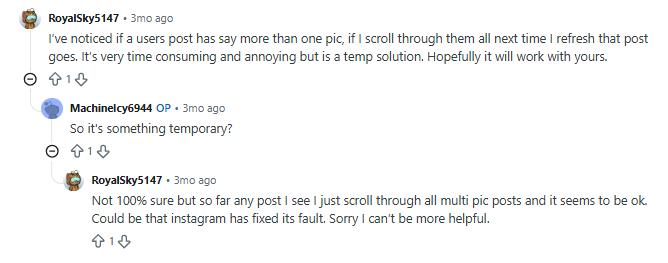
While others suggest: watch all the posts from a profile and refresh the feed.
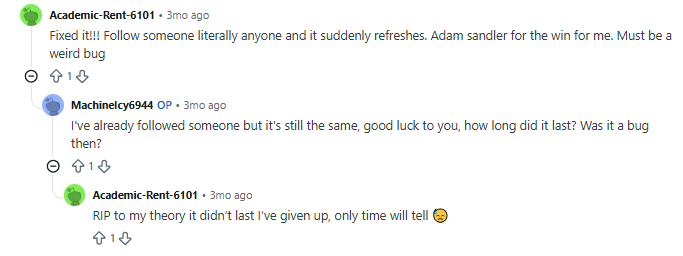
One person commented saying that you can remove the issue by following a new profile on Instagram. But that does not seem to work for everyone, as confirmed by another user.
Among all of this chaos, it’s obvious to wonder why we see older Reels or content on Instagram.
Well, the answer would be:
Instagram may show older posts or Reels because its feed is ranked according to relevance, not only publication time. It considers signals such as your likes, comments, saves, shares, watch time, profile visits, and your relationship with the creator. If Instagram believes that an older post is relevant to you, it may appear in your Home feed even when newer posts are available.
The purpose is to show content Instagram thinks you may find interesting, even if that content is not the newest post on the platform.
Instagram’s Home feed learns from your interactions and shows you more of the content you are likely to engage with. Therefore, if you regularly watch, like, save, share, or comment on one type of content, you may notice more similar posts in your feed. However, the Home feed is not strictly chronological. Instagram ranks posts from accounts you follow along with recommended content using factors such as your activity, the post’s performance, its recency, and your relationship with the creator.
| Feed Type | How It Works | Freshness Level |
| Home Feed | Algorithmically ranked. Mixes posts from accounts you follow with recommended content. | Mixed — relevance and recency both matter. |
| Following Feed | Shows posts only from accounts you follow, with the newest posts first. | High — chronological. |
| Reels Feed | Recommendation-heavy. Shows Reels based on your interests and activity. | Variable — engagement and relevance influence the order. |
| Explore Page | Recommends content from accounts you may not follow based on your interests and engagement. | Variable — entirely algorithmic. |
Every interaction you make on Instagram provides signals about your interests. If you’ve liked, saved, shared, or rewatched content from a specific account or niche — or spent a long time watching similar Reels — Instagram may show you more of the same content, even when some of it is older.
The signals it may consider include likes, saves, shares, watch duration, profile visits, comment activity, and direct-message shares.
Instagram may temporarily store some data on your device to help the app load faster. If the app does not successfully fetch new content because of a connection problem or a temporary app issue, previously loaded posts may continue to appear. However, old posts are not always caused by a corrupted cache.
Possible signs of a feed-loading problem include:
When your connection is slow or unstable, Instagram may not fetch the latest feed content properly. Previously loaded posts can remain visible while the app tries to connect to its servers. This is especially common on weak Wi-Fi or congested mobile data. Switching between Wi-Fi and mobile data can help you check whether the connection is causing the problem.
Sometimes it really is a temporary glitch. An app bug, an incomplete update, or a short-term Instagram service issue can affect feed loading. You can check whether other users are reporting a problem on a service-status website such as Downdetector. You can also check Instagram’s official channels for updates.
This is one of the most common — and most overlooked — reasons. Instagram has a default Home feed that includes ranked posts, Reels, and recommended content. It also has a Following feed that shows posts only from accounts you follow, with the most recent posts first. If you’re viewing the Home feed, older content can appear because Instagram is ranking it according to relevance.
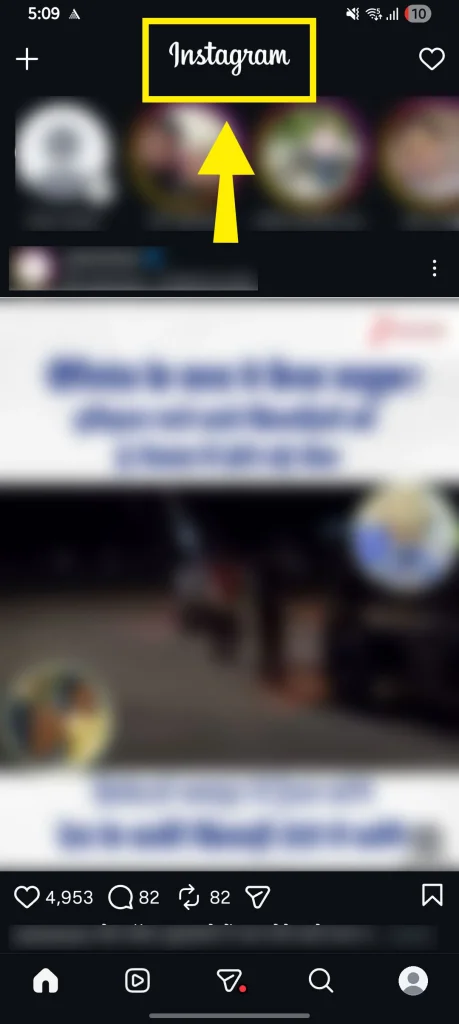
To switch: Open Instagram > Tap the Instagram logo at the top > Select “Following.”
If you were not active on Instagram for a few days, the app may show posts you have not seen from accounts you follow. These posts can be older than the content you expected to see. Posts from accounts you interact with often may also receive a higher position in the Home feed.
If you do not use Instagram regularly, the app has fewer recent interaction signals to work with. As a result, it may continue showing content based on your earlier activity. This does not necessarily mean that your account is damaged or that Instagram is showing the same content because of an error.
Try these fixes and see which one solves the Instagram old-feed concern.
The Following feed shows posts from accounts you follow, with the most recent posts first. To switch to the ‘Following’ mode,
1. Open the Instagram app.
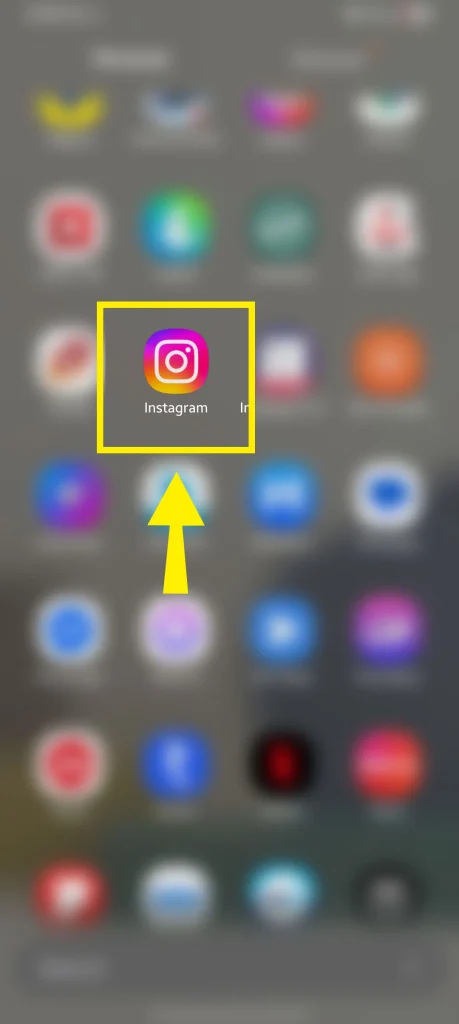
2. Tap the Instagram logo at the top of the screen.
3. Tap “Following” in the dropdown menu.
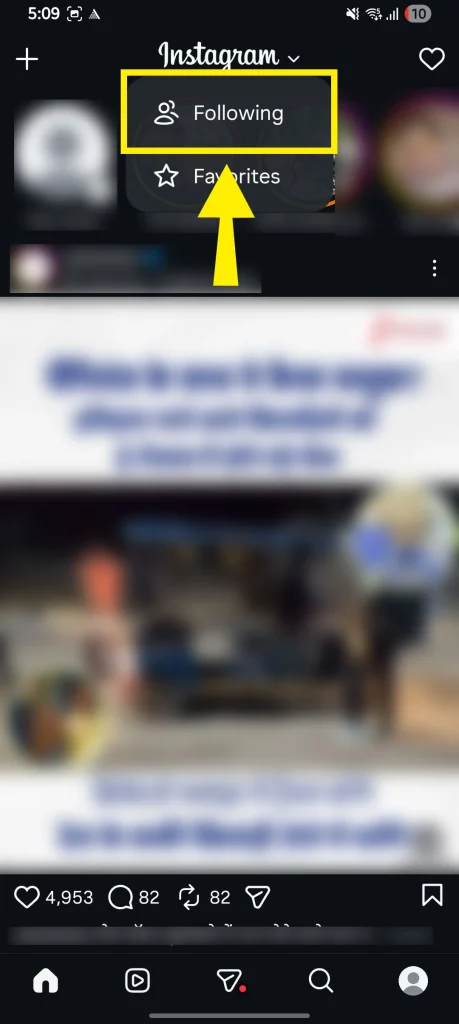
Scroll through your feed to see recent posts from the accounts you follow.
Pro Tip
The Following feed is the closest option to a chronological Instagram experience. It does not include suggested posts, so it is generally fresher than the default Home feed.
Clearing the cache can help when temporary app files interfere with loading. It will not change how Instagram ranks content, so it may not fix older posts that are appearing because of the algorithm.
On Android:
On iPhone:
iPhone does not provide a separate Instagram cache button. You can offload or reinstall the app instead. Go to Settings > General > iPhone Storage > Instagram > Offload App. Then reinstall Instagram from the App Store if required.
Try updating Instagram if the feed is not refreshing correctly. An outdated app version can contain bugs that may already be fixed in a newer release.
To update Instagram:
Open the App Store or Google Play > search for Instagram > tap Update if it is available.
Keeping your app updated also helps prevent other feature-related problems, such as Meta AI not showing on Instagram.
If the recommended content in your feed is not relevant, you can provide new signals to Instagram or reset suggested content from your settings.
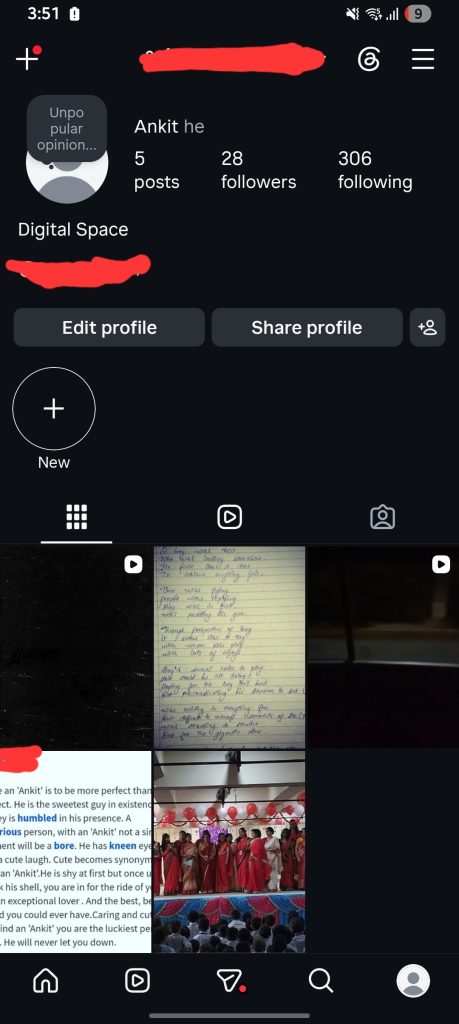
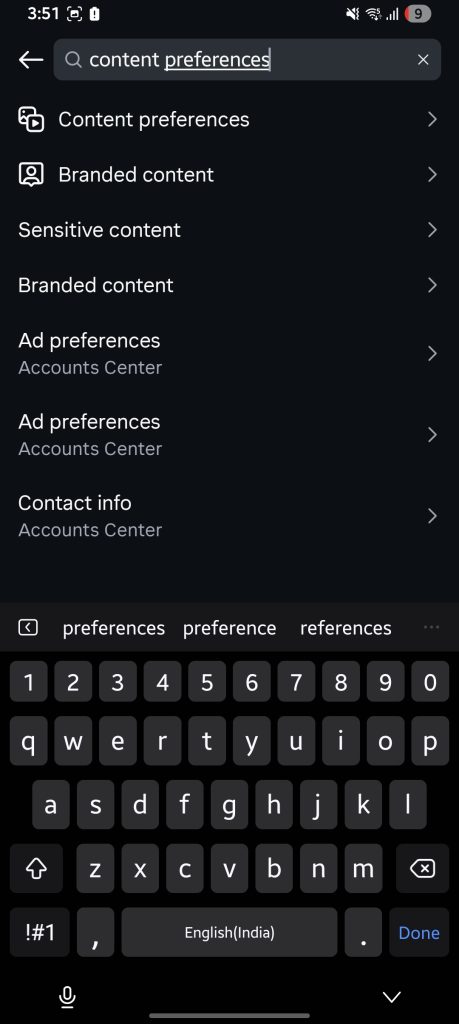
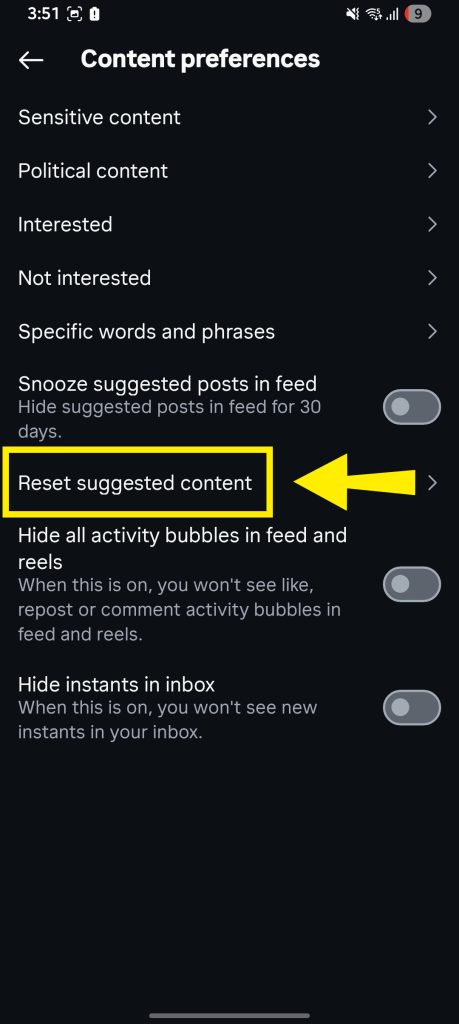
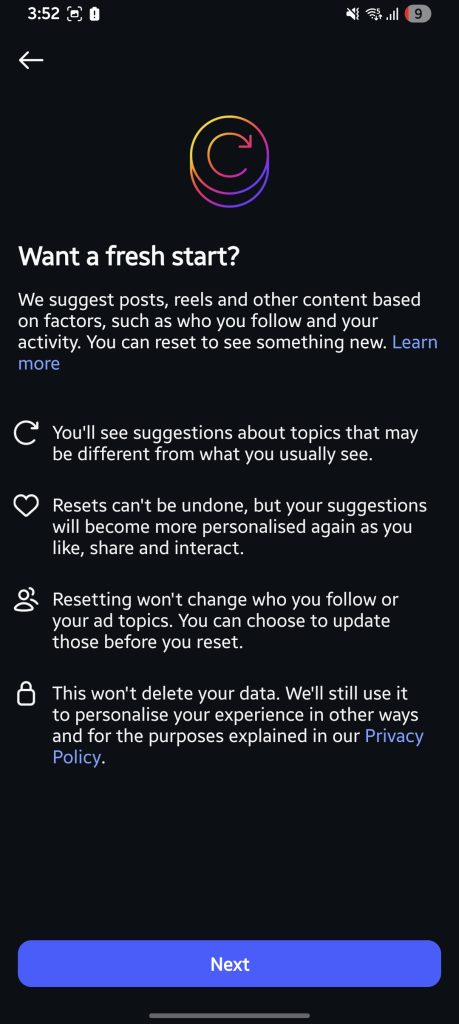
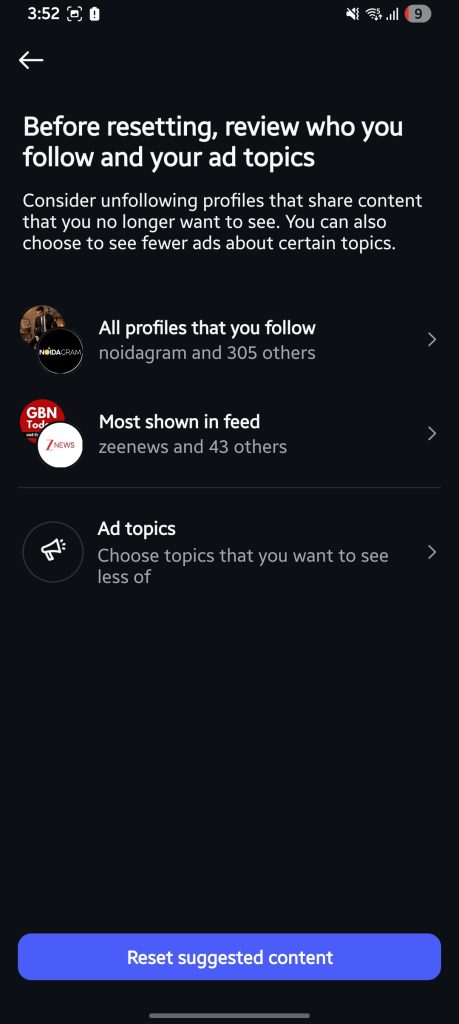
Start creating new preference signals by liking and interacting with content that interests you. This can help Instagram understand the type of content you want to see. Here’s how to “teach” the algorithm that you prefer recent posts:
If you are a creator and struggling to get your new content seen at the right time, fix Instagram scheduled post here.
If you have tried the above steps but are still unable to fix the old Reels issue on your Instagram account, check whether Instagram is experiencing a service problem. You may visit a service-status website such as Downdetector. Searching for recent reports on X can also help you determine whether other users are facing the same issue.
Try opening Instagram on another device or through Instagram on the web. If the feed works there, the issue may be related to the app, device, or network on your primary phone.
If the problem continues, report it through the Instagram app. Open your profile > tap the menu icon > select Help > tap Report a problem. Describe what you are seeing and attach a screenshot if possible.
Explore: how the Instagram feed works.
Instagram may show old Reels because the Home feed ranks content based on relevance and predicted engagement, not only freshness. Your likes, saves, shares, watch time, comments, and interactions with creators can influence what appears.
Swipe down on the feed to manually refresh it. If that does not load new content, check your internet connection, switch to the Following feed by tapping the Instagram logo and selecting Following, update the app, or clear the cache on Android.
Common causes include a weak internet connection, a temporary app or server issue, an outdated app version, or temporary app data that is not loading correctly. Older posts can also appear normally when Instagram’s Home feed ranks them as relevant.
Repeated videos can appear when Instagram receives strong signals that you are interested in a particular topic or creator. They can also result from a feed-loading problem, a temporary app issue, or limited recent activity on your account.
Yes. Instagram’s Following feed is the closest option to a chronological experience. It shows posts only from accounts you follow, with the most recent posts first. To open it, tap the Instagram logo at the top of the Home feed and select Following.





[…] changes what you should prioritize. And this looks exactly the same. If you are wondering why your Instagram is showing old videos, read the […]
[…] at the top; it automatically returns to its original upload date in your grid history (just like why your Instagram feed shows old posts: instead of keeping them in […]