Physical Address
304 North Cardinal St.
Dorchester Center, MA 02124
Physical Address
304 North Cardinal St.
Dorchester Center, MA 02124

You can’t see comments on an Instagram Live replay because Instagram does not save the original Live comments in the replay. Instagram’s Help Center says a shared replay won’t include any likes or comments from the original Live video.
So, if you opened a replay and the chat is gone, your phone and Instagram account are usually fine. This is how Instagram Live replays work.
That said, a few other things can also make comments disappear. A host can turn off commenting, a filter can hide comments, or the video may not be a real replay at all. This guide helps you identify the exact reason and explains what you can still do about it.
No. A shared Live replay plays the video and nothing else. Instagram says the replay won’t include likes or comments from the original live video, and the viewer count starts again from zero. You can see this on the Instagram Help Center page about sharing a Live replay.
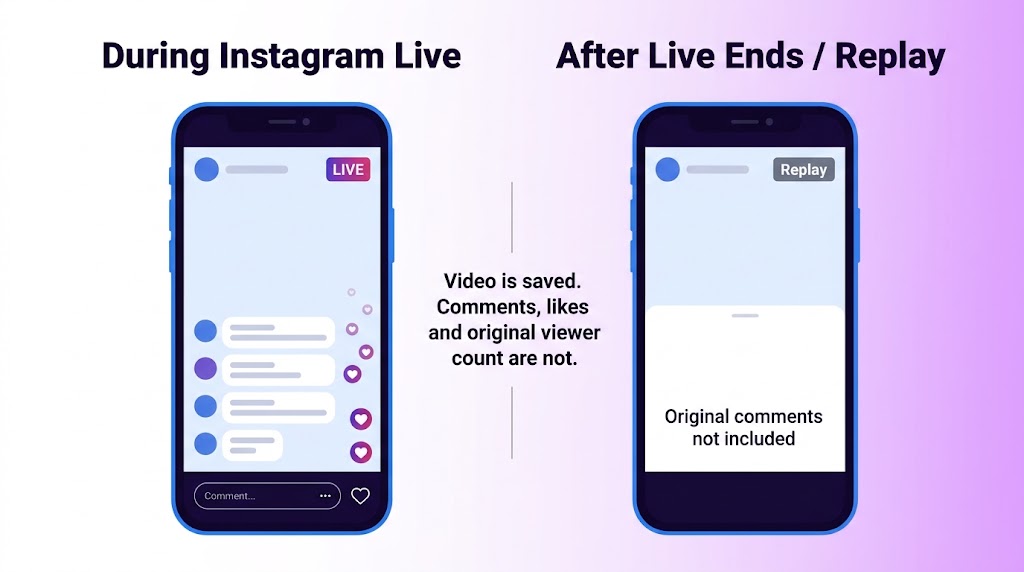
Downloads work the same way. Instagram’s own Live help page says that when you download a broadcast or save it from the Live archive, only the broadcast is saved, not comments, likes or viewers.
Because for a while, they did. When Instagram launched replays in 2017, they lived in Stories. News coverage from that time said viewers could see the original comments and likes. Instagram’s current help pages say the opposite. If you followed an older tutorial, that gap is likely why you expected a chat to be there.
Match what you see to the likely cause. This saves time, because each cause has a different fix.
| What you see | Most likely cause | What to do |
|---|---|---|
| You watched the live, and then the replay has no chat | Replays never store the original comments. | Nothing to fix. Ask the host for a recap. |
| There was no chat even during the live. | Host turned commenting off | Ask the host, or wait for the next live. |
| A friend saw comments that you didn’t | A filter, Limits or moderator action hid them. | See the filter section below. |
| The video is cut and has music or text on it. | It is an edited Reel, not a true replay. | Look at that Reel’s own comment settings. |
| Comments fail to load during the live. | App or connection problem | Update, restart, switch networks. |
This is the default, and it is the cause most of the time. Think of Live comments like the chat on a call-in radio show. The show can be recorded. The phone calls are not.
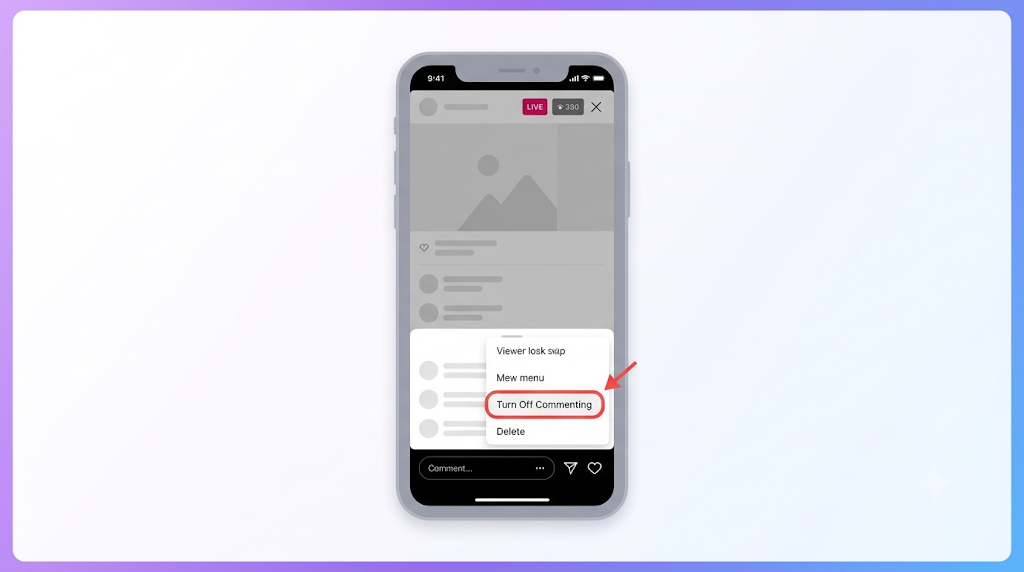
Hosts can turn commenting off during a Live, and Instagram’s Live help page says any keyword filters the host has turned on also apply to comments on the broadcast. So even with comments on, some may never have appeared on screen.
Several tools can quietly hide comments, and viewers rarely notice.
One detail surprises people. Filtered comments may still affect what different viewers see, and the person who wrote the comment may not realise it was hidden. That is why two viewers can see different comments during the same Live.
Many creators download their Live, trim it, and post it as a Reel. That is a normal Reel with its own comment rules. A real shared replay is the full, uncut broadcast. Instagram does not allow hosts to trim a Live before sharing it as a replay. If the video is edited, it is not a replay. Instagram’s help text is also a bit mixed here. One line says a replay is shared “as a reel,” and another says Lives you share are not considered reels. Either way, shared replays appear on the host’s profile and Feed as a reel, so check there first.
This is the least common cause, but it is real. Instagram’s troubleshooting advice is to run the newest app and phone software. Some features also roll out in stages, so a friend seeing something you can’t does not always mean something is broken. People have also posted about missing Live comments on Apple’s support forum, so it is not a new complaint.
You can’t see the original ones, but you can still get the information inside them. What works depends on whether you are watching or hosting.
If you host Lives, these settings decide what is kept and what is lost. Menu names change between app versions, so use these paths as a guide and search settings if something has moved.
| Setting | Where to find it | Why it matters |
|---|---|---|
| Save Live to archive | Settings, then Your app and media, then Archiving and downloading | If it is off and you skip sharing and downloading, the Live is gone for good |
| Live archive | Profile, Menu, Archive, then switch to Live archive | Archived Lives are available for a limited period (30 days) and only you can see them |
| Turn off commenting | Inside the Live, in the comment area | If this was on, nobody could comment |
| Hide comments and Hidden Words | Settings, then How others can interact with you | Filters apply to Live comments too |
If comments are also acting strange on your normal posts, this guide on why Instagram comments are not showing covers fixes for feed posts and Reels.
A word of caution about replay lifespans. Some blogs say replays expire after a set number of days or that they stay forever. Those claims don’t match each other, and the help page I checked does not give an expiry date for a shared replay. The 30-day figure applies to the private Live archive. For anything else, go to the host’s profile and see what is there.
The fixes are the same on both. I found no official difference between iPhone and Android, so be careful with any article that blames one phone type. Work through these in order. They go from quickest to slowest:
If none of that helps, assume the comments were never saved. No setting can bring them back.
Live comments are a real-time chat. Replay comments, if they exist, are a separate thing that starts later. The two are not connected.
| During the Live | On the replay | |
|---|---|---|
| Original comments | Visible to viewers | Not included |
| Likes | Visible | Not included |
| Viewer count | Live viewers | Restarts from zero |
| Trimming | Not applicable | Not allowed before sharing |
| Who can find it | People watching in real time | Anyone who can see the host’s profile and Feed |
| Who can download it | Not applicable | Only the host |
No. Instagram does not store them with the replay, so there is nothing to restore. Be wary of apps or websites that say they can pull them back. I found no official support for that, and giving a third party your login can put your account at risk.
What helps is planning ahead. For a Live that matters, screen record the chat. Pin your main call to action early, but don’t count on it showing in the replay. Then turn the best questions into a short post afterward. It gives people who missed the Live something to read, and it often draws fresh comments that stay put.
No. Only the video is saved. Instagram lists comments, likes, and viewers as things that are not included.
They belonged to the live broadcast only. Once it ended and became a replay, the chat was left behind.
Every account works the same way, so you would not see the original chat on anyone’s replay. If the video is an edited Reel, the owner may also have limited who can comment.
The viewer count restarts when a replay is shared. Live viewers and replay viewers are counted separately.
Not with Instagram’s own tools. The download option is only available to the host, right after the Live ends or from their private archive.
Instagram keeps archived Lives for 30 days, and only you can see them. Download or share the video before then if you want to keep it.
The host may never have shared one. A Live that was not shared, downloaded or archived cannot be watched again. Message the host and ask if one exists.
No. A host can review comments that a filter hid on regular posts, but the chat from a finished Live is not stored with the replay.
If the chat is missing from an Instagram Live replay, you are almost certainly not missing a setting. The replay keeps the video and drops the chat. Viewers can ask the host for a recap. Hosts should record their screen during the Live and share the best questions in a follow-up post.