Physical Address
304 North Cardinal St.
Dorchester Center, MA 02124
Physical Address
304 North Cardinal St.
Dorchester Center, MA 02124

You can increase Instagram reach by creating content that earns DISCOVERY. That means content that non-followers want to watch, save, and that is worth including. For that, the content should have relevance and strength to appeal to users. Also, for the perfect reach, focusing on Instagram SEO is important.
Follower count matters far less than it used to. Today, a single well-crafted Reel from a 500-follower account can reach thousands of non-followers. This guide covers everything you need to know in detail.
Instagram reach is the number of unique accounts that see your content — whether they follow you or not. It is different from impressions, which count total views and can include multiple views by the same person. Reach tells you how many distinct people your content reached to.
Instagram Reach vs. Impressions
A post with 1,000 reach and 2,500 impressions means 1,000 people saw it — some of them more than once. For growth, reach is the metric that matters.
Non-follower reach is the share of your audience that does not already follow you. This is your discovery engine. When Instagram recommends your content to strangers via the Reels tab, Explore, or suggested posts, that is non-follower reach at WORK. High non-follower reach means the algorithm is actively distributing your content beyond your existing audience — and that is how accounts grow.
Reach drives the full growth chain: discovery → profile visits → follows → trust → conversions. Without reach, even exceptional content sits unseen.
With strong reach, especially to non-followers, your content finds new audiences, builds brand awareness, and compounds over time. According to data compiled from Socialinsider, the average Instagram post in 2026 reaches just 3.5–7.6% of an account’s followers. The opportunity for growth now lives almost entirely in non-follower discovery. The Carousel content appears to be performing well in 2026, according to SocialInsider.
Instagram does not use a single algorithm. It runs separate AI-driven ranking systems for Feed, Reels, Stories, and Explore — each weighing different signals. Understanding which surface you’re optimizing for changes what you should prioritize. And this looks exactly the same. If you are wondering why your Instagram is showing old videos, read the post.
Instagram head Adam Mosseri confirmed in January 2025 that the three metrics driving Reels distribution are watch time, likes per reach, and sends per reach. Of these, sends per reach — when someone DMs your content to a friend — are weighted 3–5x higher than likes for reaching non-followers. A share to a DM is Instagram’s strongest signal that content is genuinely valuable.
For Feed, relationship signals dominate: accounts you reply to, DM, or interact with regularly rank higher. For Explore, engagement velocity matters most — how quickly a post accumulates interactions after publishing.
Across all surfaces, Instagram assesses the following metrics while distributing content:
What Instagram says: “We assess how likely you are to spend a few seconds on a post, comment on it, like it, reshare it, and tap on the profile photo.” (Instagram, via Kolsquare, 2026).
The algorithm distributes content to people it predicts will enjoy it, based on their past behavior. If your content has a clear, consistent subject — fitness, personal finance, home renovation — Instagram can identify your audience and put your posts in front of them. Undefined content confuses the system. So, the clearer your niche is, the more you get to reach the target audience by Instagram’s algorithmic push.
For Reels especially, the first three seconds determine whether someone watches or scrolls. A strong hook creates an immediate reason to stay: a surprising claim, a relatable problem, a clear promise, or a visual that breaks the scroll. Skip the logo intro. Lead with the thing that makes someone think, “I need to see where this goes.”
Since DM shares carry 3–5x the algorithmic weight of likes, designing content to be shared is one of the highest-leverage moves available. The formats that get shared most:
Saves signal that your content has lasting value — tutorials, frameworks, resource lists, cheat sheets. Unlike a like (which is reflexive), a save requires intent. Educational carousels with step-by-step instructions consistently drive saves because people return to them. If someone saves your post, Instagram treats that as a strong indicator of quality.
Reels remain Instagram’s primary discovery format in 2026. They appear in the dedicated Reels tab, on Explore, and in Feed recommendations — no other format gets that breadth of distribution. Keep most Reels between 7 and 30 seconds, where completion rates are highest. Instagram stops recommending Reels longer than 3 minutes to non-followers, even though the technical upload limit is higher. Structure matters: hook → value → CTA, every time.
Try Trial Reels: Instagram’s Trial Reels feature lets you test content with non-followers before publishing to your main audience. If it performs well in 24 hours, share it broadly. This is ideal for testing new topics, hooks, or formats with zero risk to your existing audience perception.
Carousels averaged 0.50% engagement per follower in Q2 2026 — outperforming both Reels and single images for engagement. Each swipe registers as an impression, so a 10-slide carousel generates longer dwell time than a single image. Structure: Slide 1 is the hook; slides 2–9 deliver the value; the final slide is the CTA. Aim for 8–10 slides. Mixed-format carousels (images + video slides) perform best, averaging 2.33% engagement versus 1.80% for image-only.
Captions are searchable. Keywords in captions now drive approximately 30% more reach than hashtag-only approaches, according to 2026 data. Write captions the way your audience searches: naturally phrased, specific, and readable. Include a clear call-to-action — a question that invites comments, a prompt to save, or a reason to share. Avoid walls of text; use line breaks to improve readability.
Instagram has become a search engine. Users search for topics, products, and advice directly in the app. To optimize for Instagram search:
Instagram now limits posts and Reels to five hashtags — a deliberate signal that relevance beats volume. Mosseri has confirmed that hashtags help with search categorization but do not directly increase reach. Use three to five specific, niche-relevant tags. Avoid broad tags like #instagood or #love; they put your content into impossibly competitive pools. Think of hashtags as filing, not promotion. Understand Instgram’s take on improving your reach.
There is no universal “best time” to post on Instagram. The only data that matters is your own. Open Instagram Insights, navigate to your audience data, and look at the days and hours when your specific followers are most active. Test publishing within those windows for 4–6 weeks and track reach per post. Let your own analytics guide you, not a generic blog post benchmark.
Meaningful comment activity tells the algorithm that your post is generating genuine engagement. Reply to comments within the first hour of posting — this is when distribution decisions are most active. Ask a question in your caption to give people a natural reason to respond. Avoid engagement bait (“comment YES if you agree”) — Instagram’s systems are designed to detect and suppress it.
Instagram’s Collab Posts let two accounts co-author a single post, sharing it to both audiences simultaneously. This is one of the fastest legitimate ways to reach new non-followers who already trust someone in your space. Look for creators with overlapping but non-competing audiences — a nutritionist and a fitness coach, for example, or a copywriter and a brand designer. The audience overlap drives immediate discovery.
Instagram Insights (available on Business and Creator accounts) shows you reach, accounts reached, the split between followers and non-followers, saves, shares, comments, and profile activity — per post and per time period. The non-follower reach percentage is especially important. If most of your reach is coming from existing followers, the algorithm is not distributing your content beyond your current audience. That is the number to move. Review Insights weekly, not monthly.
Use a simple framework: Create → Measure → Identify winners → Iterate. When a post generates strong non-follower reach, that is a signal about the topic, format, or hook that resonated — not just a one-off. Publish three to five variations on the same theme before moving on. Most accounts abandon winning ideas too quickly and keep chasing novelty instead of building on what already works.
Reels get the widest non-follower distribution of any Instagram format. Prioritize a strong hook in the first two seconds, keep content length between 7 and 30 seconds for maximum completion rates, use keyword-rich on-screen text, and include a clear CTA. Data from multiple studies show that Reels with a 3-second hold rate above 60% outperform those below 40% by 5–10x in total reach.
To create reels on Instagram:
Open the Instagram App on your mobile > swipe left from the home screen. Select ‘reel’ option from the bottom menu > and record the reel by selecting the video effect or sound.
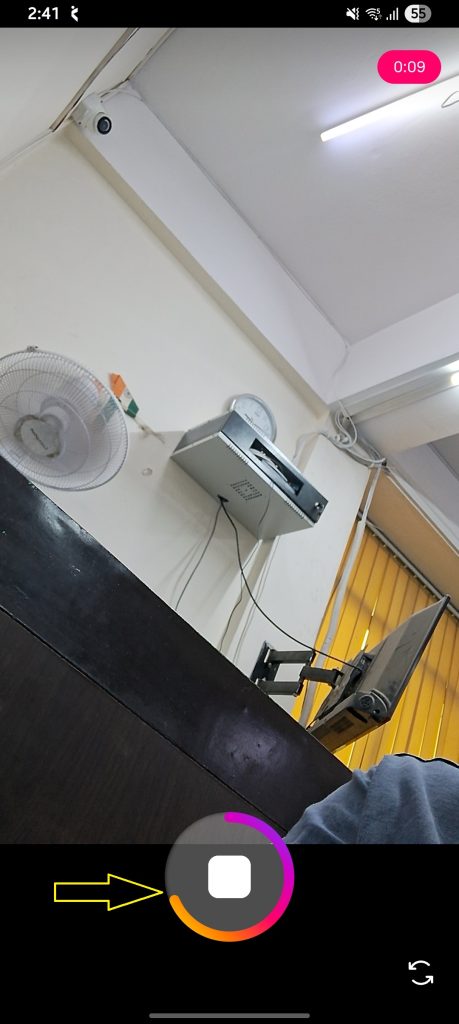
Stories reach 2–9% of followers, with reach improving as you post more slides per day, peaking between 6 and 13 Stories daily. Use interactive stickers (polls, questions, sliders) — Stories with stickers see 15% more taps and replies. Stories are primarily a follower-retention and relationship tool; they are less effective for reaching non-followers than Reels or Explore. Understand why Instagram story replies are not notifying.
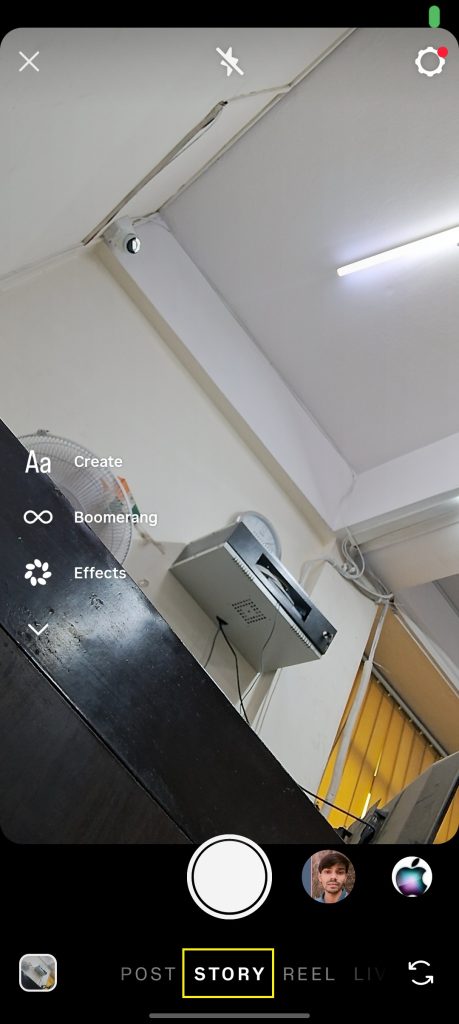
To create a story on Instagram:
Open Instagram app > tap the ‘+’ icon or swipe left from your home screen > start creating a story. Note: Story option is the default selection on Instagram.
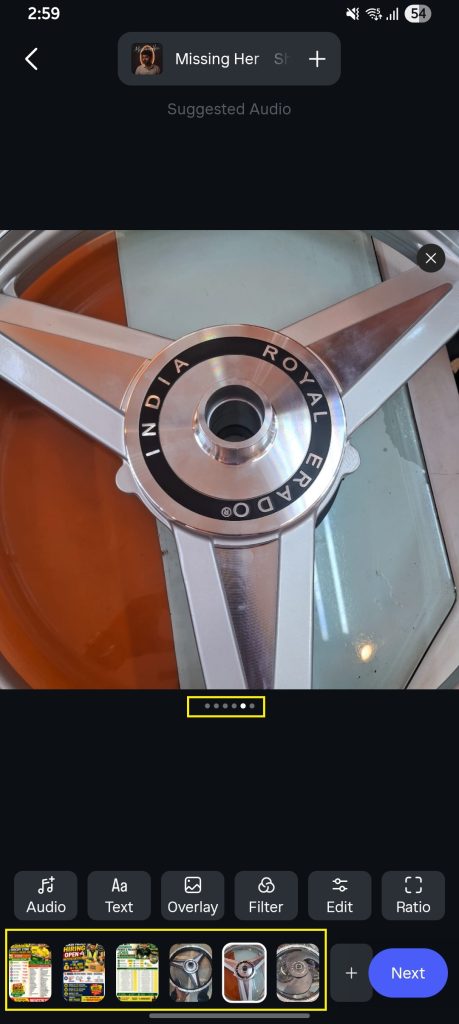
Carousels thrive on saves and dwell time. Make Slide 1 impossible to scroll past, pack genuine value into every subsequent slide, and end with a save-worthy summary or CTA. Aim for 8–10 slides. Mixed-format carousels (combining images and short video slides) consistently outperform image-only versions on engagement.
To create a carousel on Instagram:
Single images have the lowest discovery potential in 2026 for reaching non-followers. They work best for relationship-building with your existing audience: behind-the-scenes moments, announcements, and community content. For non-follower reach, prioritize Reels and carousels over static single images.
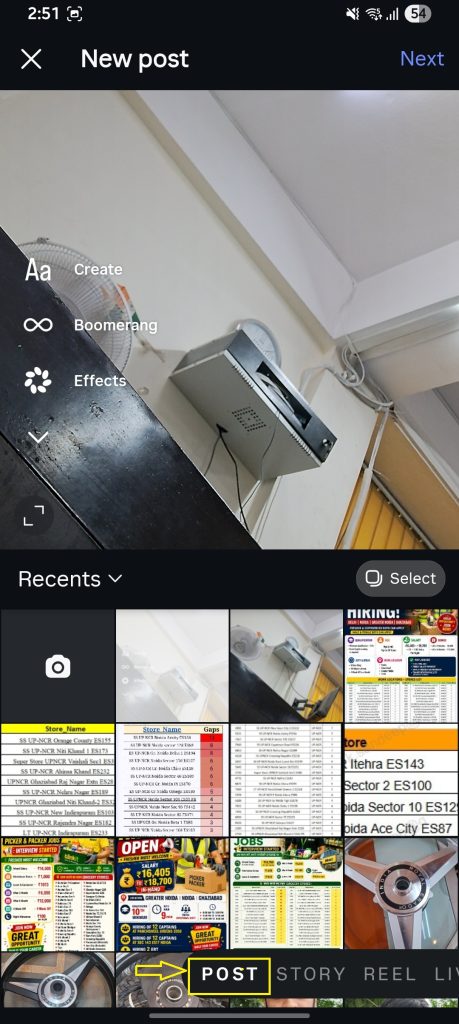
To create a post on Instagram:
Open the Instagram application > swipe left on the screen > select ‘Post’ icon > select an image, and tap next to continue.
Instagram limits its built-in data tools to professional accounts only. So, you don’t have the option to track the progress of a personal account. But, in case you want to do it, choose the manual option – counting the followers, or checking on the likes, comments, etc.
Here is how you check Instagram progress on a professional account:
Note: You can also go to a specific post or story and tap Insights to view its metrics.
Create content that earns discovery: strong hooks, genuine value, and content designed to be shared via DM. Focus on watch time for Reels, saves for carousels, and consistent publishing in a clearly defined niche.
The most common causes are low watch time on videos, insufficient DM shares, content that’s too broad to be categorized effectively, and an audience that follows but doesn’t engage. Check your Insights for your non-follower reach percentage — if it’s under 20%, your content isn’t being distributed beyond your existing audience.
Not directly. Mosseri has confirmed that hashtags help categorize content for search but do not increase reach the way they once did. But use 3–5 specific, relevant hashtags for better discoverability. Keyword-rich captions drive more reach than hashtag stacking in 2026.
Yes, for non-follower reach. Reels appear in the dedicated Reels tab, on Explore, and in Feed recommendations — giving them the broadest distribution potential of any Instagram format.
Three to five quality feed posts per week plus daily Stories are a workable baseline. Consistency matters more than volume. The “Your Algorithm” feature (launched in December 2025) also responds better to consistent, engaged posting patterns than to sporadic bursts.
There is no single universal benchmark because reach rate varies significantly by account size. For accounts under 10,000 followers, 8–15% of followers per post is healthy. For accounts between 10,000 and 100,000 followers, 5–10% is a reasonable target. For accounts above 100,000, 3–7% is typical. Non-follower reach percentage matters more for growth than overall reach rate.
Meaningful results from consistent, strategic content efforts typically appear within 4–8 weeks. Reach is compound: every piece of content that performs well trains the algorithm and builds topical authority. Accounts that stick with a focused strategy for 90 days consistently outperform those that change tactics every two weeks.
Yes. Organic reach through Reels, carousels, Instagram SEO, collaboration posts, and DM-shareable content remains viable in 2026. The shift is that organic reach now depends on content quality and audience relevance rather than posting frequency or follower count.




[…] Struggling with overall reach on Instagram? See: How to Increase Instagram Reach. […]
[…] Low engagement (if your posts are struggling with views, here is how to increase Instagram reach: […]
[…] Instagram’s Feed and Stories are built to keep existing followers engaged, which is why Instagram often suits accounts focused on deepening a relationship with an audience they already have. […]
[…] Status makes the AI label an unlikely cause. If your overall numbers are down for other reasons, this guide on how to increase Instagram reach covers the usual […]